
Milestone visits are some of the most important moments on any job site. They mark progress, trigger payments, satisfy inspection requirements, and create the paper trail that protects you if something goes sideways down the road.
But a lot of GCs still show up, do a quick walkthrough, snap a few photos on their phone, and call it done. That approach leaves serious gaps. Gaps that show up later as disputes, rework claims, or missed defects that were never documented.
This guide breaks down exactly what you should be capturing during a construction milestone visit, and how to build a documentation habit that protects your crew, your clients, and your contracts.
Why Milestone Documentation Is More Important Than Most GCs Think
Every major milestone on a project is a snapshot in time. Once you pour concrete, frame a wall, or close up a ceiling, that moment is gone. If something goes wrong later, the only evidence of what was there is what you documented before it was covered up.
The stakes are real:
- Payment disputes. Owners and lenders want proof that work is complete before releasing funds. If you can't show it clearly, you're fighting uphill.
- Defect claims. A subcontractor says the crack appeared after they left. You say it was there before. Who wins? The one with dated, pinned, annotated photos.
- Warranty and punch list battles. Having photographic proof of condition at each milestone makes these conversations much shorter.
- Insurance and legal protection. If a claim gets filed, your documentation is your defense.
Good milestone documentation is not extra work. It's protection for every dollar you've earned.
The Core Milestones That Demand Thorough Documentation
Not every stage carries equal weight. These are the milestones that require the most attention.
Site Preparation and Mobilization
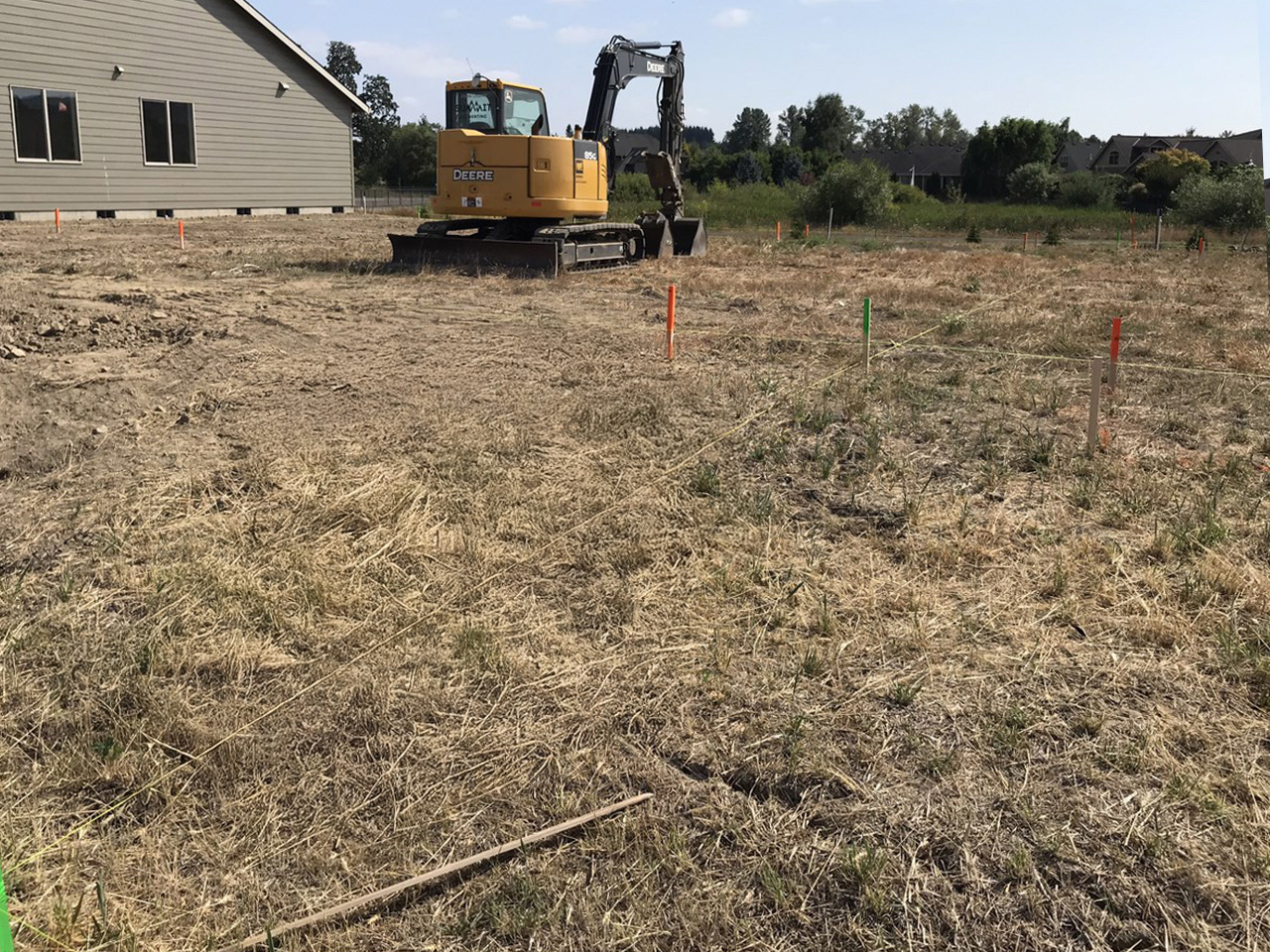
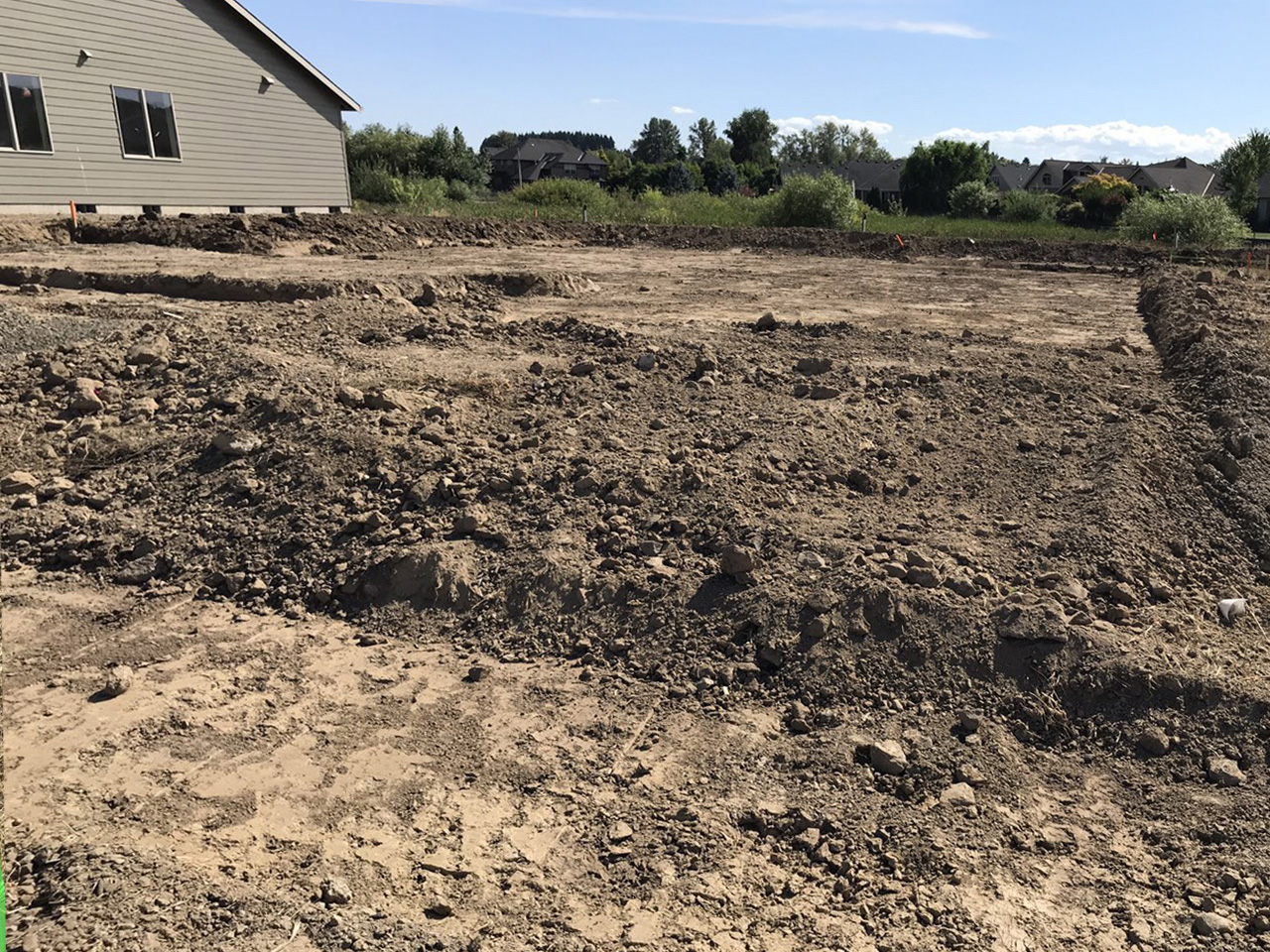
Before a shovel hits the ground, document the site as it exists. Capture existing conditions, neighboring structures, any visible damage, and the boundaries of your work area.
This protects you from being blamed for damage you didn't cause. It's one of the most overlooked steps in the process.
Foundation and Footing Work
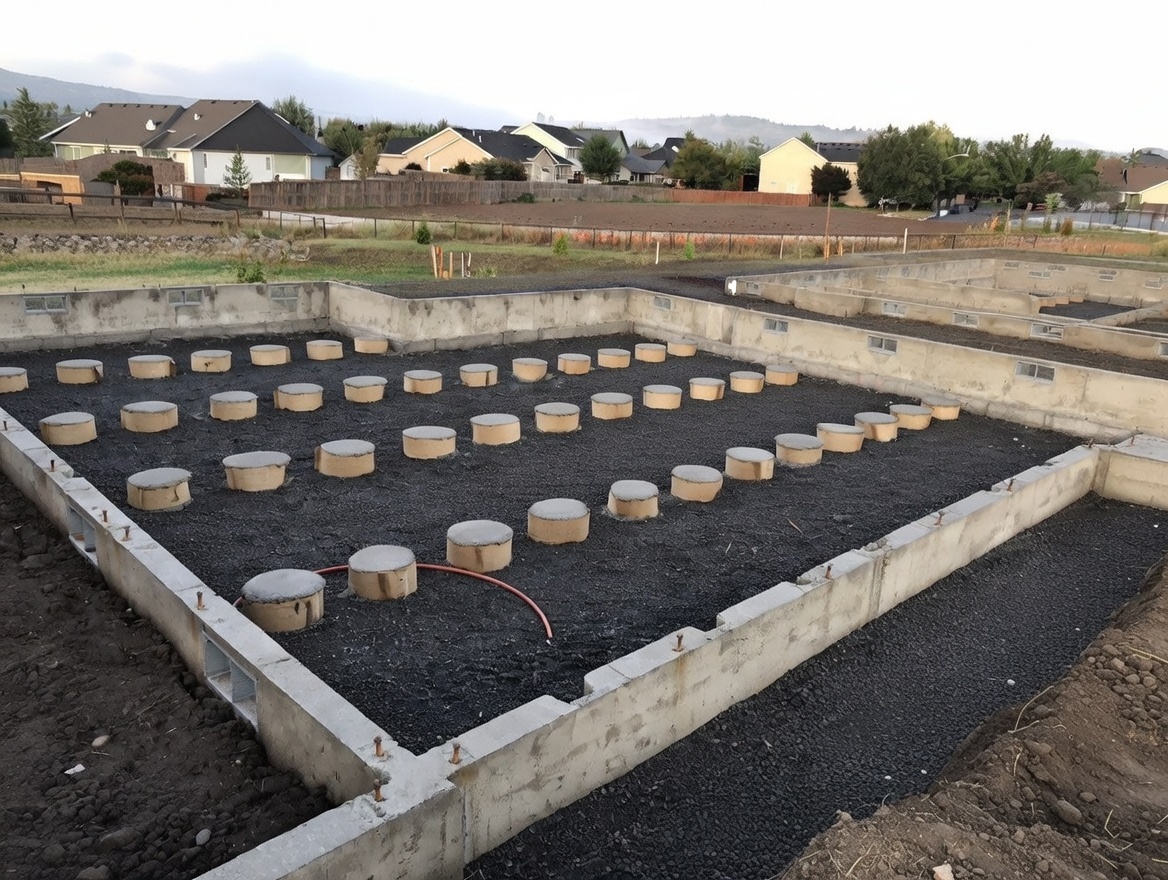
Concrete waits for no one. Before the pour and immediately after, capture:
- Rebar placement and spacing
- Formwork condition
- Anchor bolt locations and embedment
- Any visible soil conditions at the base
- Drainage provisions
Once concrete is placed, that evidence is locked inside forever. You need photos and notes before it disappears.
Framing Completion
Framing is when the structure becomes real. It's also when inspectors, owners, and lenders want to verify scope. Document:
- Exterior and interior framing from multiple angles
- Header and beam connections
- Point loads and bearing conditions
- Any deviations from the approved plans, with notes explaining why
A 360 photo from the center of each room is particularly useful here. It captures everything in one shot and gives you a full spatial record.
Rough-In MEP Work
Mechanical, electrical, and plumbing rough-ins disappear behind drywall. This stage demands detailed photo documentation because you will never see it again once it's covered.
Capture:
- Pipe routing and sizes
- Electrical panel locations and conduit runs
- HVAC ductwork layout
- Any installed blocking for future fixtures
- Inspection approval signage or tags if applicable
Pin each photo to your site plan so you know exactly where that pipe runs. That information is invaluable during future renovations or if a leak shows up years later.
Waterproofing and Moisture Protection
This is one of the most disputed categories in construction litigation. Waterproofing failures are expensive and the blame always gets passed around. Document:
- Membrane installation and coverage
- Flashing details at transitions
- Sealant application at penetrations
- Drainage mat or board placement
If you can show your crew installed the waterproofing correctly, you have a defensible position. Without photos, you have nothing.
Insulation and Air Sealing
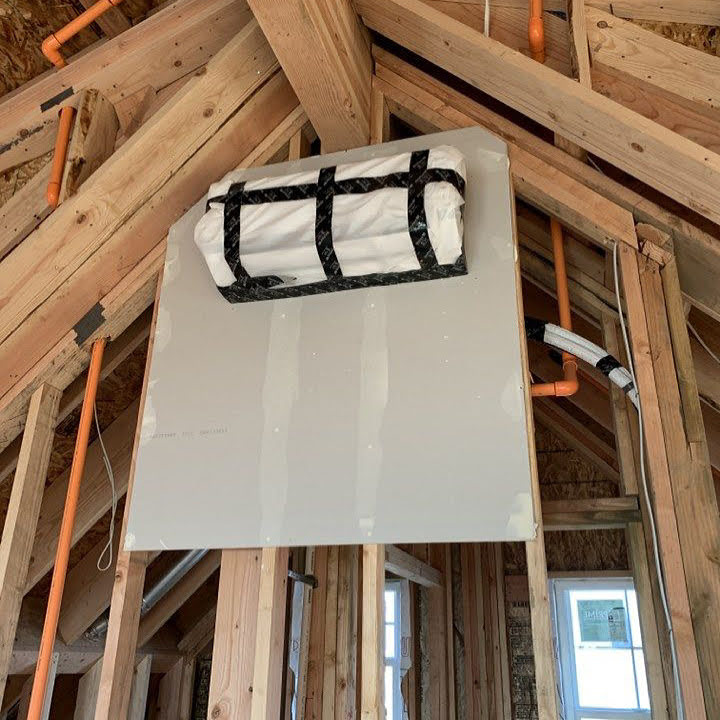
Energy codes are tighter than they've ever been. Inspectors and owners want proof of compliance. Before drywall goes up, document insulation type, placement, coverage, and any vapor barrier installation.
Drywall and Interior Finishes
At this stage, document the condition of surfaces before finish trades start their work. This creates a clear line between what you handed off and what they did.
Also document:
- Any intentional gaps, access panels, or cleanouts
- Locations of blocking inside walls
- Condition of floors before flooring trades begin
Substantial Completion
This is the milestone that usually triggers the biggest payment. Walk the entire project and document every space systematically. Use a consistent pattern so nothing gets skipped.
- Every room, from at least two angles
- All exterior elevations
- Mechanical rooms and equipment installations
- Life safety systems including fire extinguishers, exit signs, and pull stations
- Site work including grading, paving, and landscaping
This walkthrough becomes your baseline for the punch list process.
Final Completion and Handover
The last milestone is your exit from the project. Document the final condition of everything and confirm that all punch list items are resolved. Keep this record indefinitely.
What Format Should Your Documentation Be In?
Photos on a phone are a start, but they fall short fast. The problems are obvious to anyone who has dealt with a dispute:
- You can't easily prove when or where the photo was taken.
- Phone photos are hard to organize across a team.
- Individual shots miss context.
- Notes live in texts and emails scattered across multiple apps.
Here's what good milestone documentation looks like:
Still Photos, Pinned to a Site Plan
Every photo should be tied to a specific location. When you can pull up a floor plan and tap any room to see photos from that exact spot, you're working with real documentation. Not a folder full of mystery images.
360 Photos for Spatial Context
A single 360 photo captures the full context of a space. For large rooms, complex mechanical spaces, or anything with multiple trades working in close proximity, 360 photos are far more useful than a handful of standard shots.
You can pan through a 360 photo and see things you might have missed during the visit itself.
Annotations for Issues and Conditions
If something is wrong, damaged, incomplete, or needs attention, mark it directly on the photo. Draw a circle, drop a tag, write a note. This eliminates the guesswork when you're reviewing documentation weeks later.
Field Notes Tied to Each Milestone
Written notes matter just as much as photos. What was the weather? Who was on site? What work was actively in progress? What was the inspector's verbal feedback?
These details seem minor in the moment and become critical in a dispute.
How to Build a Consistent Documentation Process for Your Crew
The biggest problem with milestone documentation isn't knowing what to capture. It's making sure it actually gets done, every time, by whoever is on site.
Here's how to build the habit:
Create a Milestone Checklist
Write down every item that needs to be documented at each major milestone. Make it specific. Not "document framing" but "photo of each room from NW corner, 360 from center, photo of header connections at each exterior opening."
The more specific the checklist, the less thinking required in the field.
Assign Ownership
Someone has to be responsible for milestone documentation. Not everyone. One person per site visit. That person's name goes on the record.
When everyone is responsible, no one is responsible.
Set a Standard Before the Visit Starts
Brief your crew before each milestone walkthrough. Walk the planned route in your head. Know which spaces need special attention. Set expectations for what "complete documentation" means.
Five minutes of planning saves hours of backtracking.
Use a Tool That Organizes As You Go
If your crew is capturing photos and notes on separate apps and devices, documentation is going to fall apart eventually. Use a single platform that connects photos, annotations, and notes to specific locations on the project plan. That way the documentation organizes itself as work progresses.
Common Mistakes GCs Make During Milestone Visits
Even experienced contractors slip into these habits. If any of these sound familiar, it's time to tighten up.
Showing up without a plan. Winging a milestone walkthrough almost always means missing something. Use a checklist.
Taking photos but not organizing them. A folder of 200 unlabeled photos is nearly useless in a dispute. If you can't find the photo quickly, it might as well not exist.
Skipping the boring stuff. It's easy to document the dramatic moments and skip the routine ones. But disputes usually live in the details. Document everything, not just the headline work.
Relying on one person's memory. Notes matter. Write down what you see, what was discussed, and what still needs to happen. Memory is not a reliable documentation system.
Waiting too long after the visit. Capture your notes and photos during or immediately after the walkthrough. The longer you wait, the more detail you lose.
How ACTABUILD Makes Milestone Documentation Faster and More Reliable
ACTABUILD was built for exactly this kind of work. Field crews can capture still and 360 photos directly on site, and every photo gets automatically pinned to the project floor plan.
You can annotate issues directly on photos, flag defects, and write field notes with AI assistance that helps you document faster without sacrificing detail.
Everything is organized by location and milestone, so when you need to find a photo of the rough-in plumbing in Unit 4B, you're not digging through a shared drive. You're tapping a point on the plan.
The result is a complete, organized, timestamped record of every milestone on every project. That record protects you from disputes, speeds up payment approvals, and gives owners and inspectors the confidence they need to sign off.
Make Every Milestone Count
A construction milestone visit is not a formality. It is a critical moment in your project record. How you document it determines how well you can defend your work, get paid on time, and move the project forward without unnecessary friction.
The discipline of capturing the right information at the right time is what separates contractors who get burned by disputes from contractors who stay in control.
Start building that discipline now.
Try ACTABUILD free and see how fast your team can build a documentation habit that actually holds up. Visit actabuild.com to get started today.