
HOW IT WORKS
Capture jobsite information. Organize it by project and location. Find it when you need it.
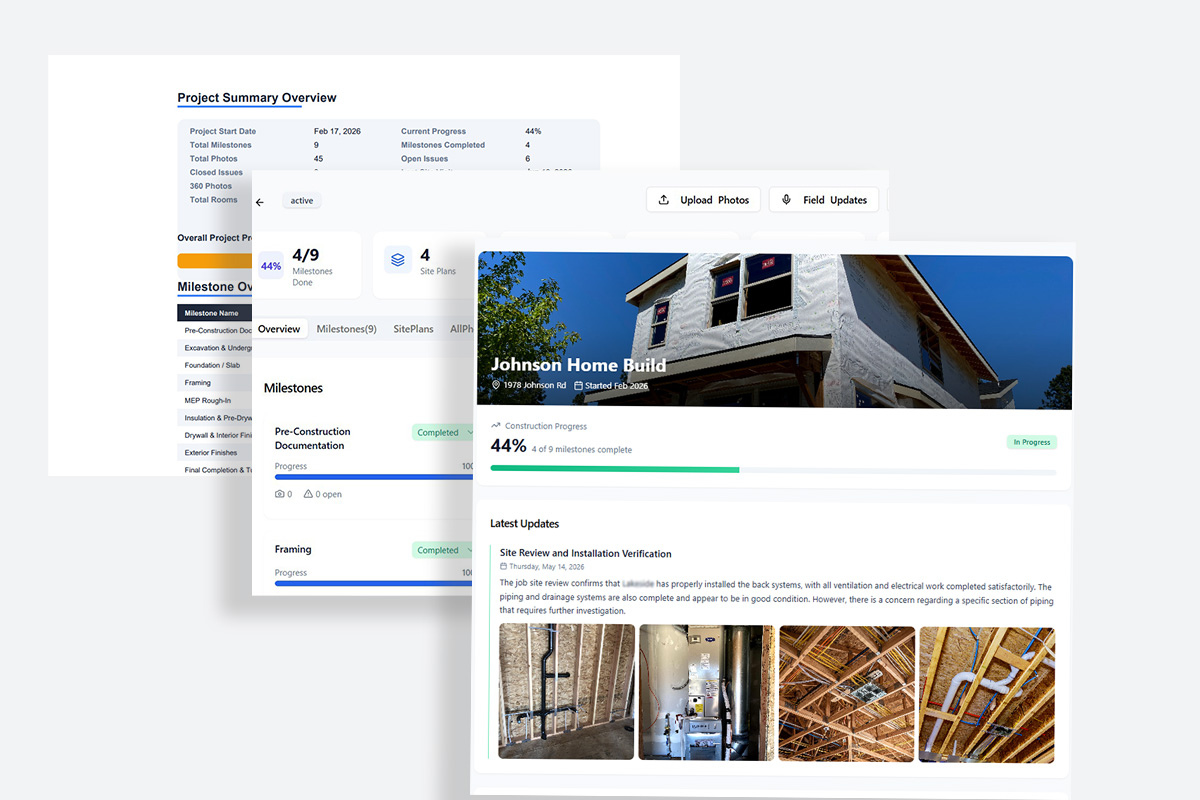
ACTABUILD helps construction teams turn jobsite photos, 360 views, field notes, issues, and milestone records into a clear visual history of the project.
Use the platform with your own team, or get professional documentation support for qualifying projects in the Portland area.
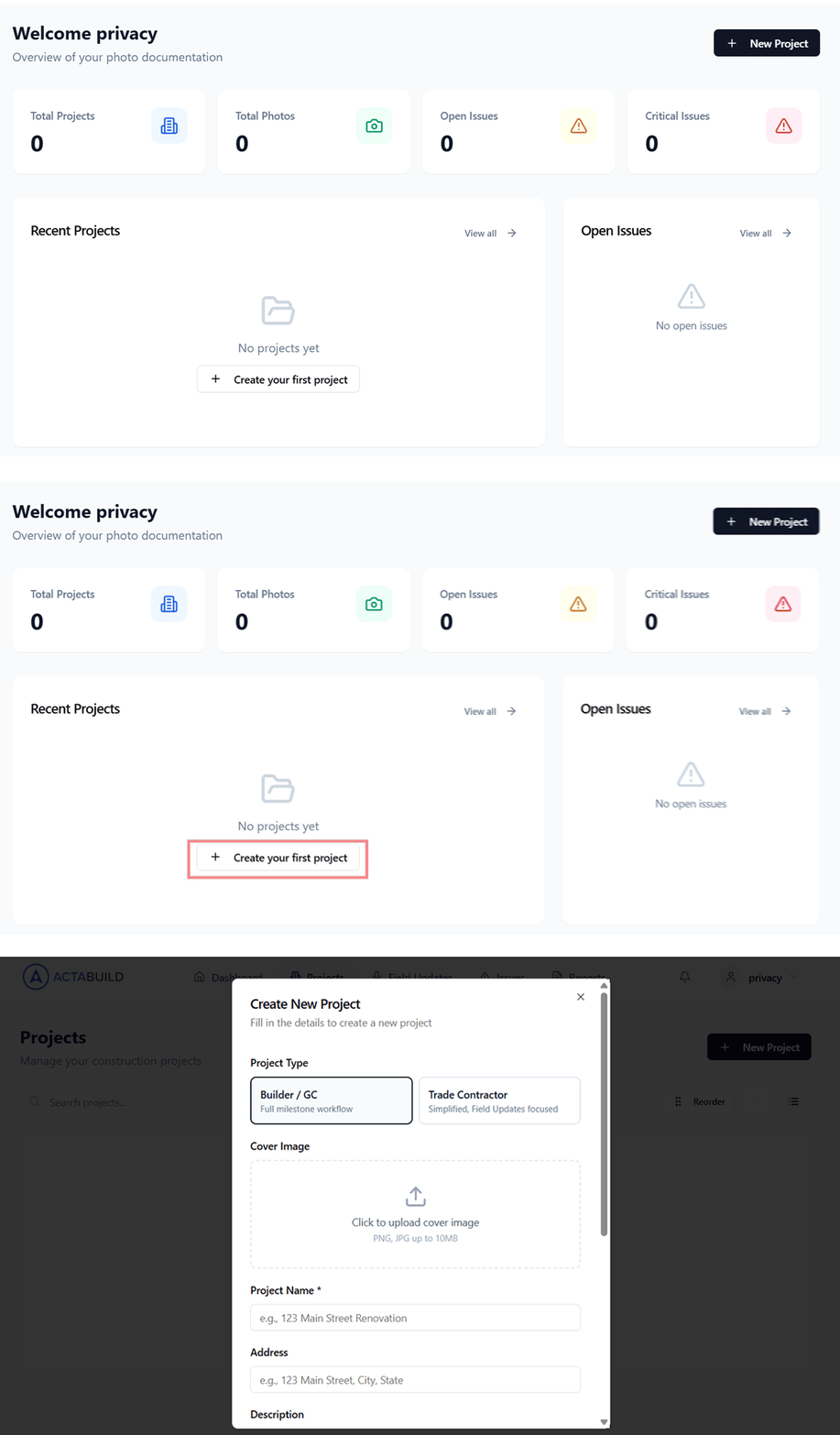
1. Set Up Your Project
Create a project and add the information your team needs to organize its documentation.
Add:
- Project name and address
- Type of Setup For Roles
- Team members and access
- Floor plans or site plans
- Rooms, units, zones, or work areas
- Construction milestones and phases
Instead of dropping photos into another folder, ACTABUILD gives the documentation a structure based on how the project is actually built.
2. Capture Updates From the Field
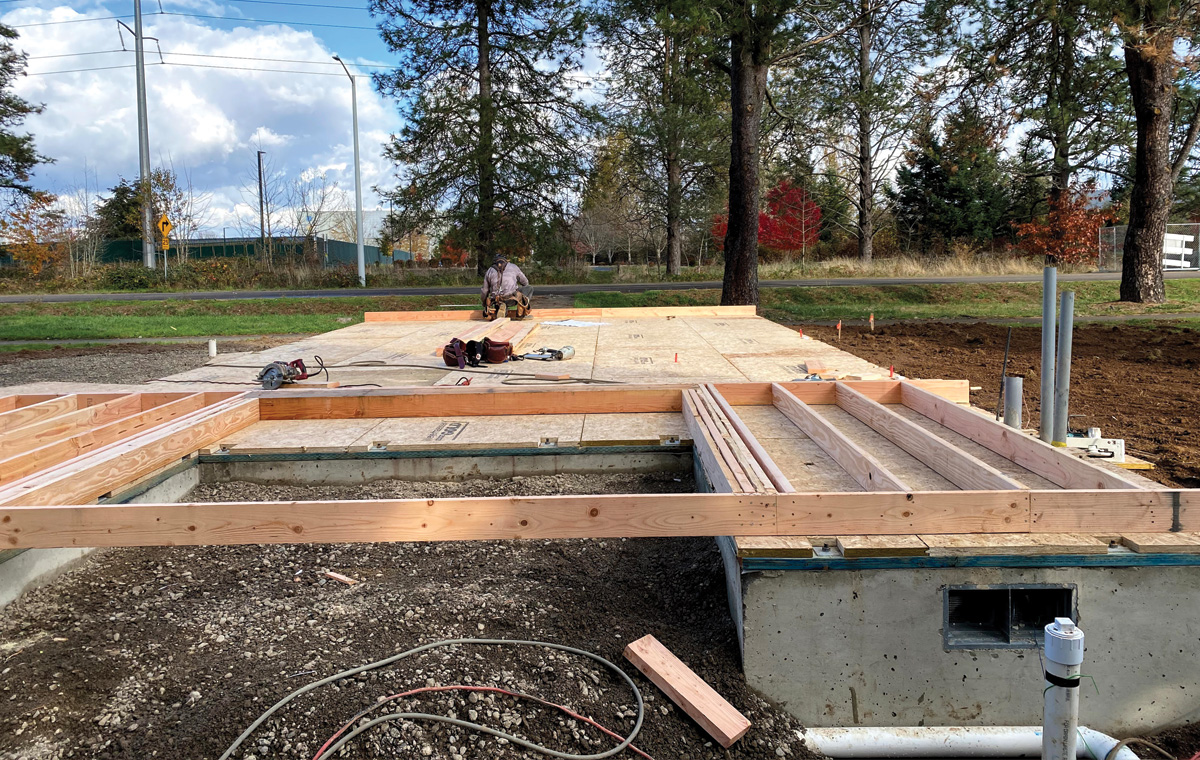
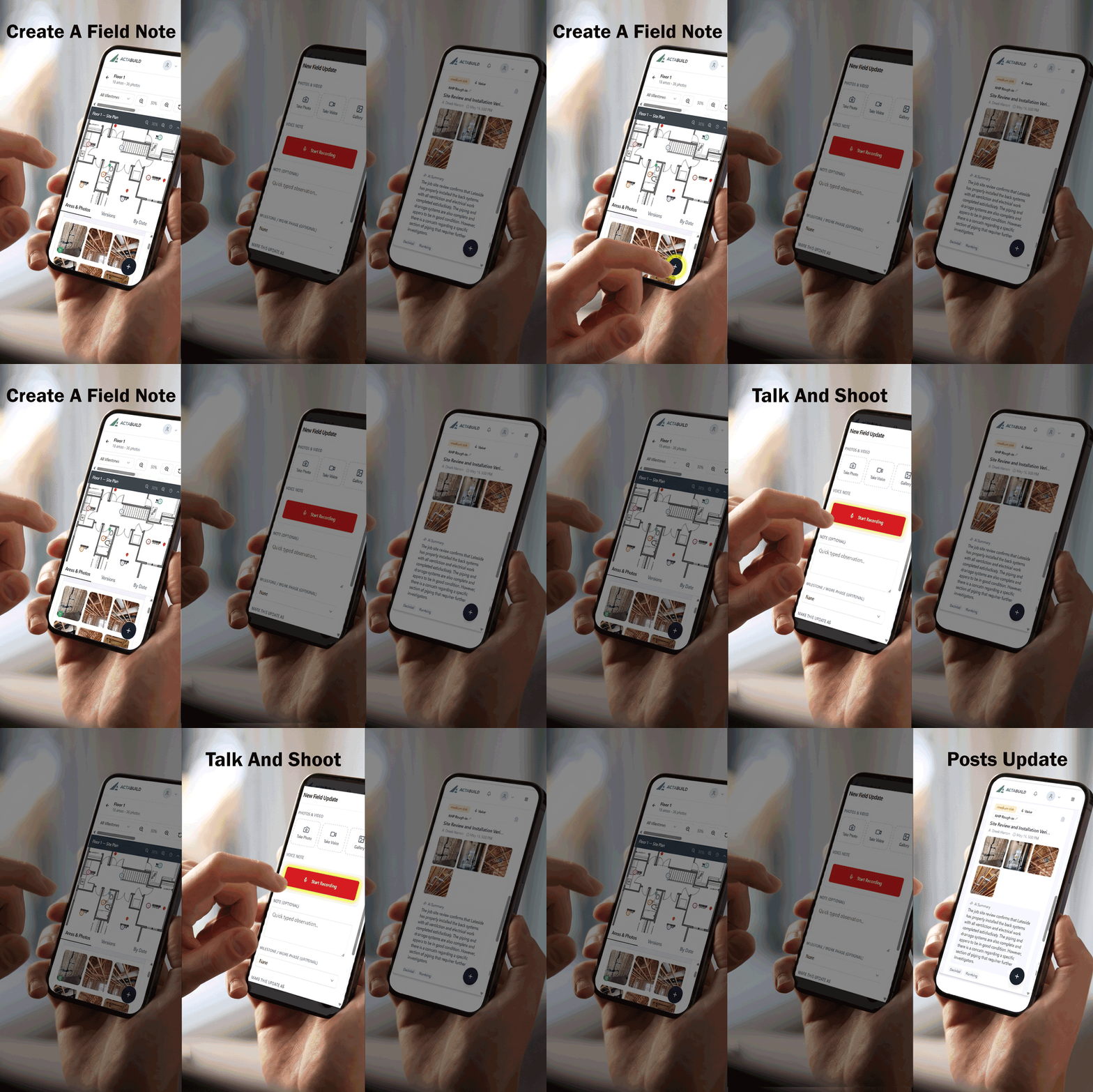
Your team can document work directly from the jobsite using:
- Standard progress photos
- 360 jobsite views
- Voice or written field updates
- Photo annotations
- Issues and observations
- Milestone documentation
Photos and updates remain connected to the project instead of becoming scattered across camera rolls, text messages, emails, and shared folders.
3. Connect Documentation to the Right Location
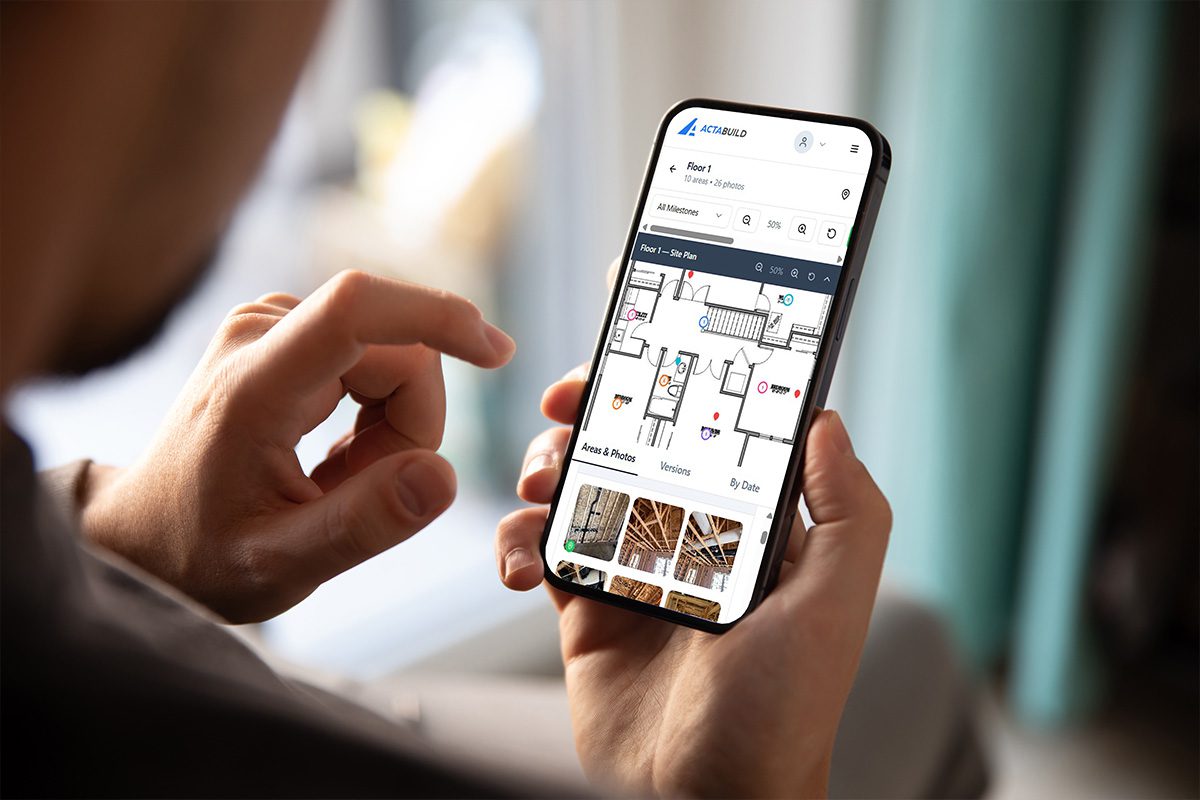
Tie photos, notes, and issues to the location where they were captured.
Documentation can be organized by:
- Floor plan or site plan
- Room, unit, area, or zone
- Construction milestone
- Date
- Trade
- Issue or observation
This helps your team find the right record without scrolling through hundreds of unrelated photos.
4. Review Progress and Track Issues
ACTABUILD gives field and office teams a shared place to review what is happening on the project.
Your team can:
- Review progress by date or milestone
- Compare documentation from different stages
- Mark and annotate conditions in photos
- Create and assign issues
- Add comments to the relevant record
- Chat with team
- Track items from open through resolved
Conversations stay connected to the photo, location, or issue they concern.
5. Share and Export the Project Record
Give the right people access to the documentation they need.
ACTABUILD helps teams:
- Share project visibility with owners and stakeholders
- Provide clearer milestone updates
- Generate organized reports
- Download project photos and records
- Maintain documentation for closeout or warranty questions
- Preserve a searchable visual history of the project
The result is more than a photo gallery. It is an organized project record your team can continue using after the work is complete.
USE ACTABUILD YOUR WAY
Use the Platform Yourself
Your employees capture photos, field updates, and issues as work progresses. ACTABUILD keeps the documentation organized and accessible to the rest of the team.
Best for:
- Builders with active field teams
- General contractors
- Trade contractors
- Superintendents and project managers
- Companies managing multiple projects
Get Documentation Done for You
ACTABUILD can visit qualifying Portland-area projects to capture milestone photos, 360 views, existing conditions, pre-drywall work, and construction progress.
The documentation is then organized so your team can review and use it without adding another responsibility to field staff.
Best for:
- Teams without a dedicated documentation person
- Important construction milestones
- Pre-drywall and concealed work
- Recurring progress visits
- Owner and developer visibility
- Third-party project records
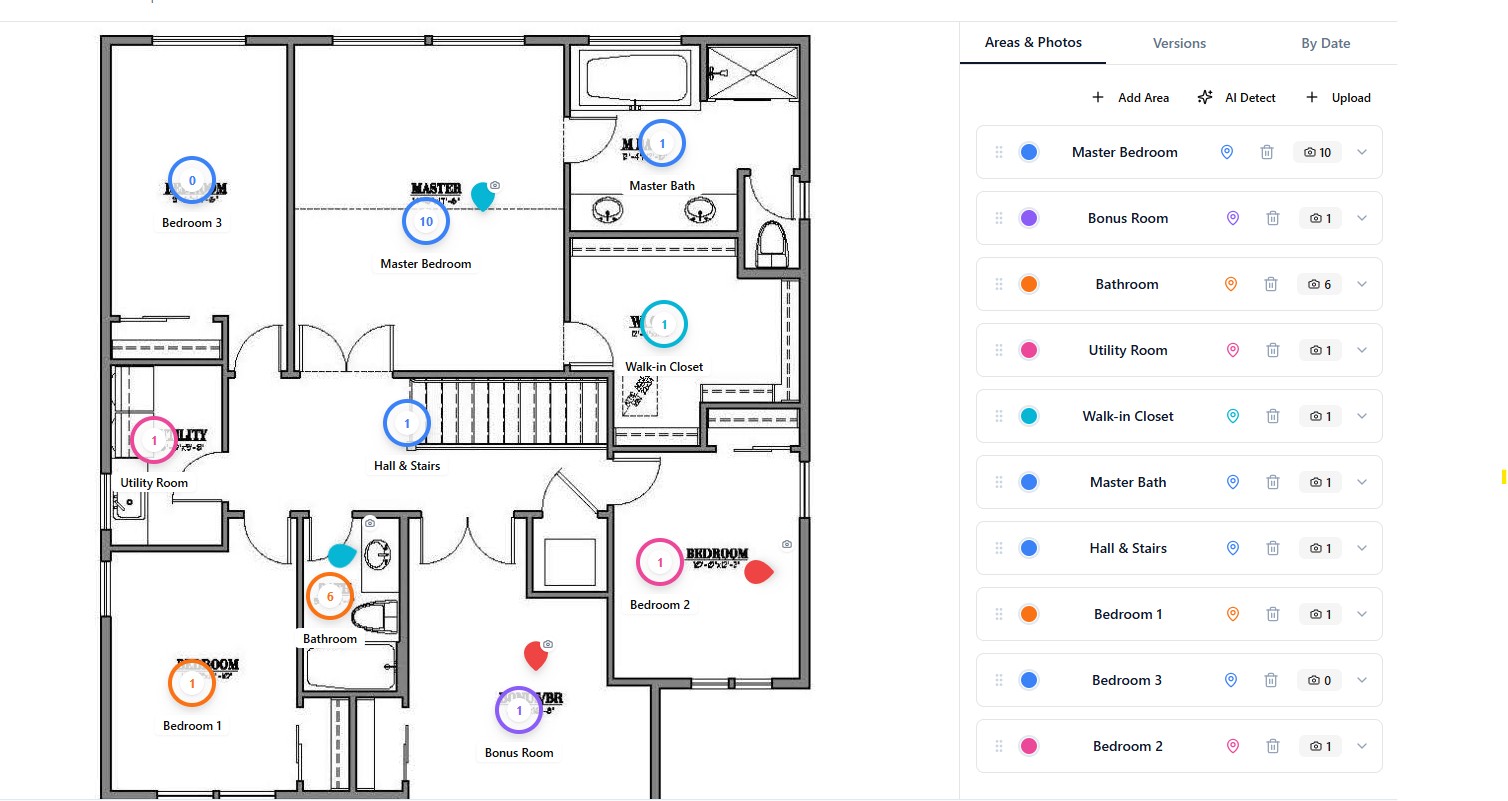
Floor Plan Based Photo Viewer
All photos are organized inside a structured viewer tied directly to your floor plans. This makes navigation fast and intuitive for field teams, project managers, and ownership groups.
The viewer includes:
- still photo documentation
- 360 walkthrough style capture
- plan-based navigation between rooms
- milestone timeline comparisons
- trade-tagged image organization
Instead of searching through folders, users simply click the plan and open the documentation they need.
Pin-Based Navigation
Instead of searching through folders of photos, users can click directly on pins placed across the plan.
Pins can represent:
- Progress photos
- 360 captures
- Trade-specific documentation
- Issues or annotations
- Milestone checkpoints
This creates a faster and more intuitive way to navigate the project visually.
Milestone Comparison Viewer
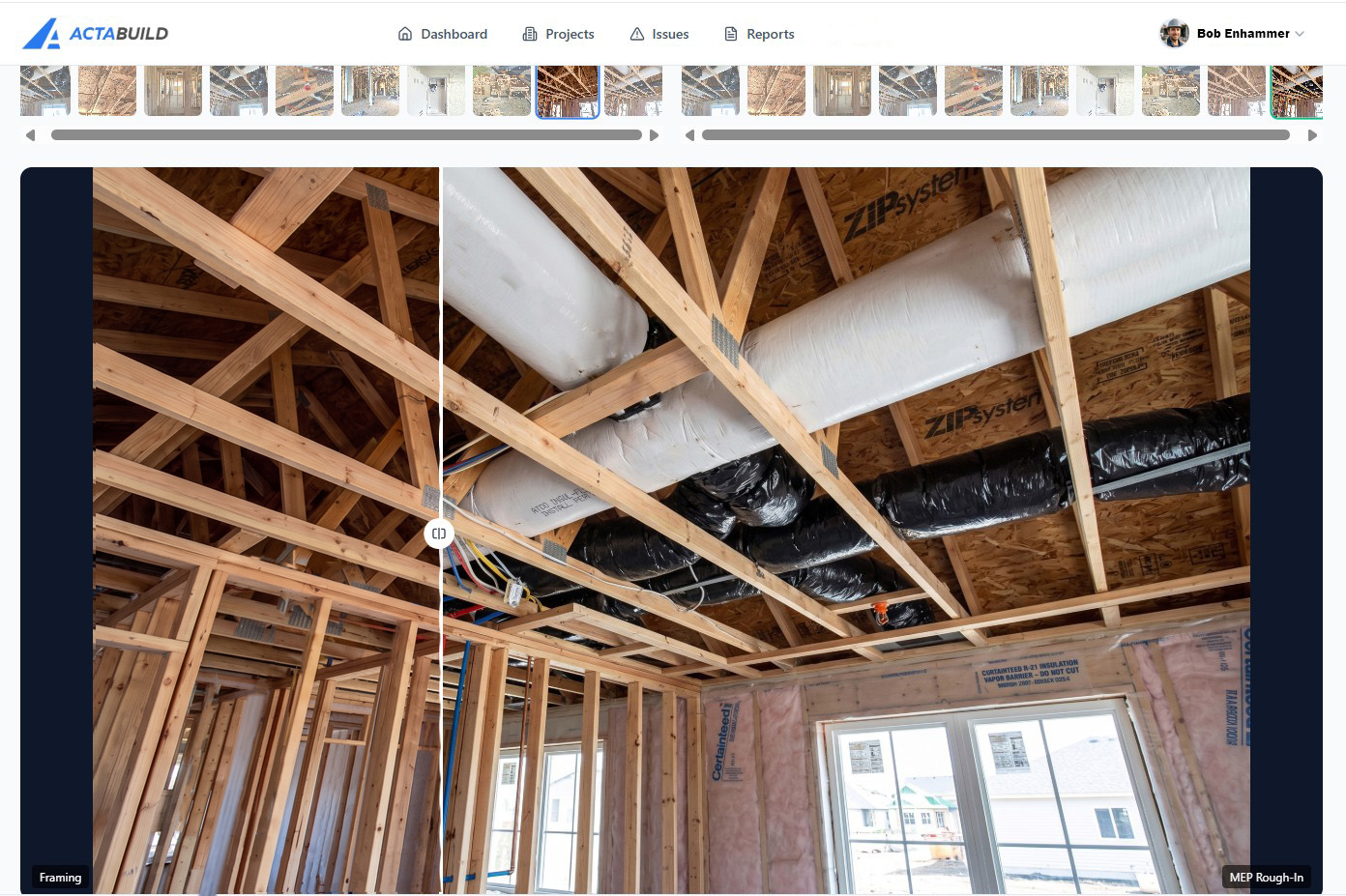
Compare documentation between multiple project to track changes over time.
The comparison viewer helps teams:
- See progress between visits
- Verify completed work
- Review pre-concealment conditions
- Compare milestone stages
- Identify changes or missing items
Users can quickly move between dates while viewing the same area of the project.
Issue Tracking
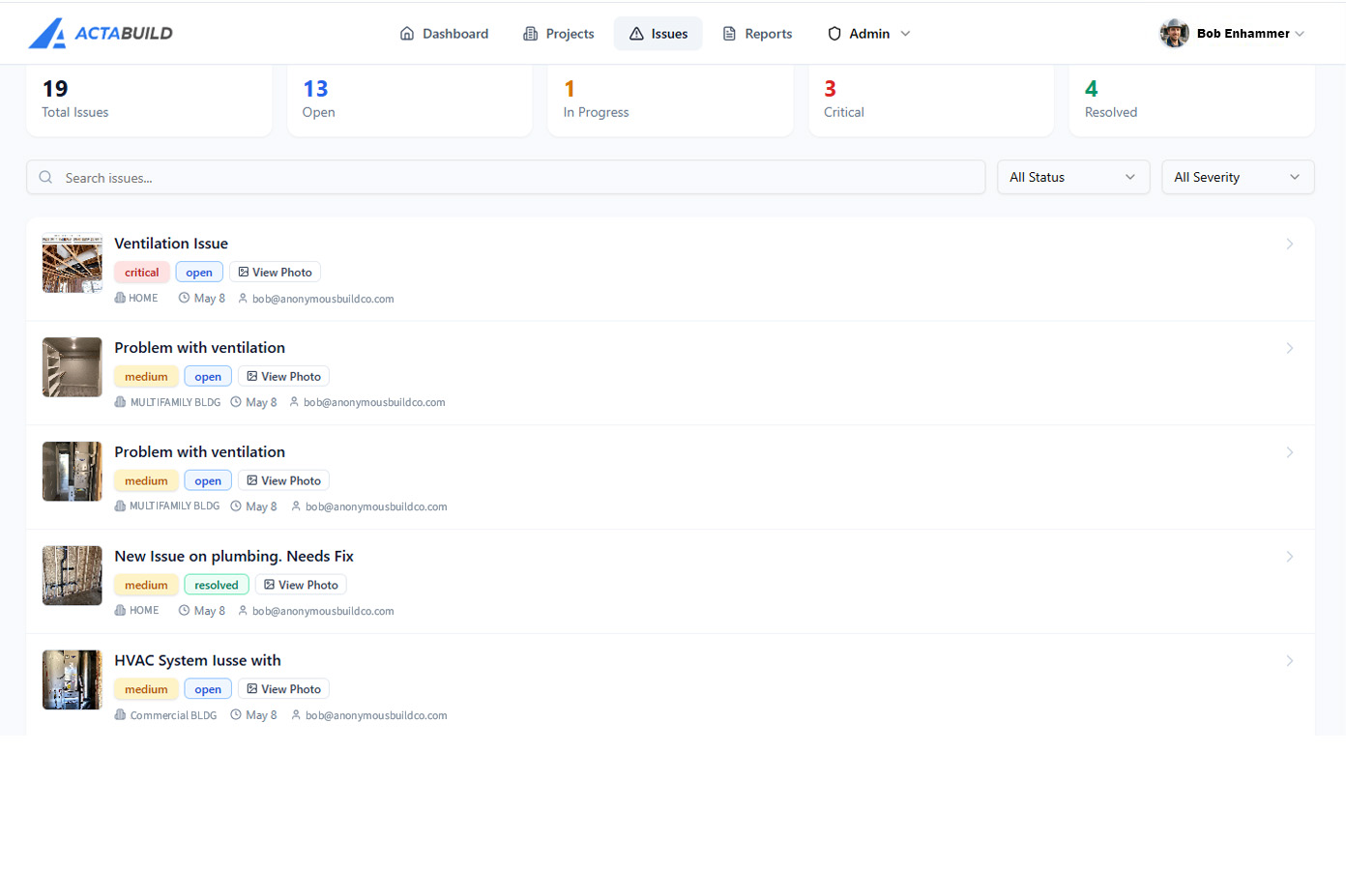
Track construction issues directly from the field with pinned locations tied to floor plans and site plans. Issues can be assigned priority levels such as Critical, High, Medium, or Low, helping teams focus on what matters most. Annotated photos provide visual context so teams can quickly identify the exact location and condition needing attention.
Built-in commenting keeps conversations connected to the issue, allowing contractors, project managers, and stakeholders to collaborate in one place. Progress tracking makes it easy to monitor whether an item is open, in progress, resolved, or completed throughout the life of the project.
What Your Team Can Do With the Documentation
Give your team access to organized project records from anywhere. ACTABUILD helps contractors, project managers, owners, and stakeholders stay aligned with clear visual documentation tied directly to the jobsite.
- View project progress by milestone, date, or location
- Navigate photos through floor plans and site plans
- Track issues with pinned locations and status updates
- Review annotated images for quality control and coordination
- Comment directly within issues and documentation records
- Share project access with internal teams, subcontractors, or clients
- Export reports, photos, and organized project records as needed
- Maintain a searchable visual history throughout the project lifecycle
Designed for Real Construction Workflows
ACTABUILD fits naturally into active jobsite coordination without adding complexity. Documentation is captured on schedule, organized by plan location, and delivered through a viewer your team can use immediately.