
Construction Photo Management App for Jobsite Photos
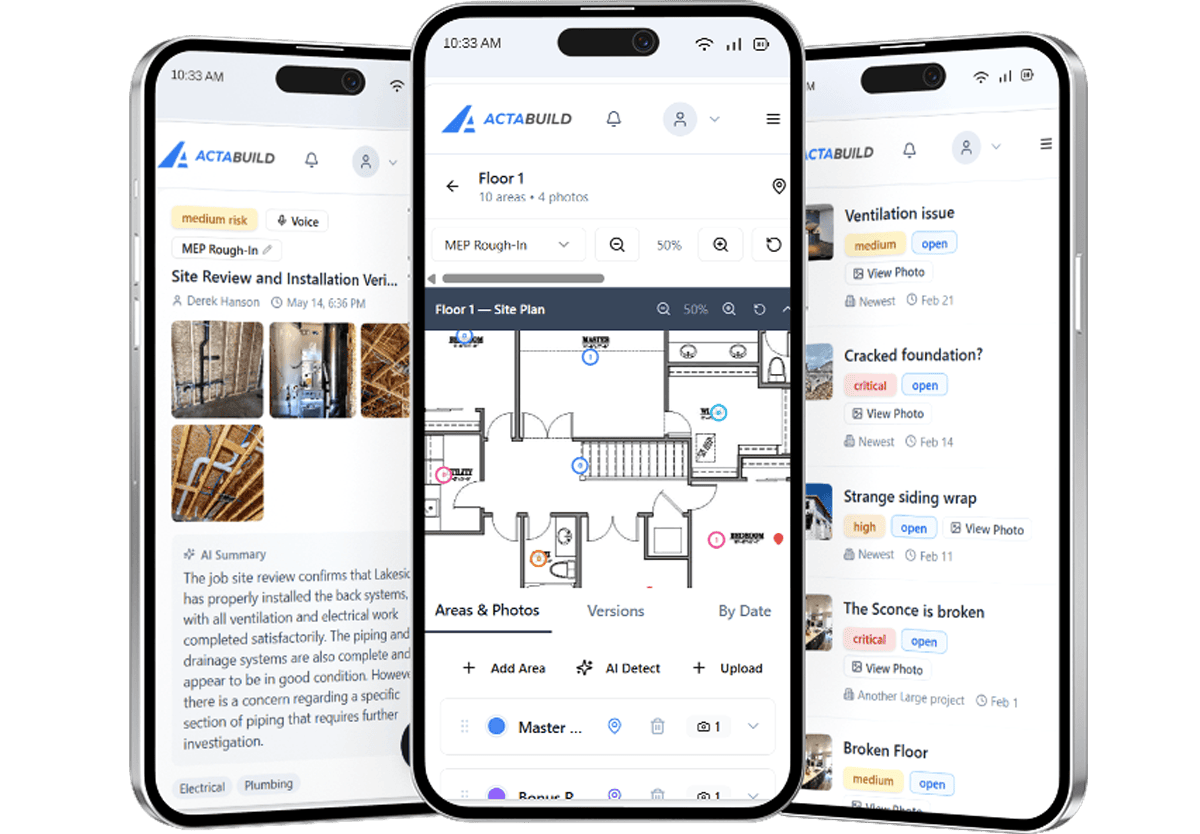
Manage Jobsite Photos Before They Become Hard to Find

Your team is already taking construction photos.
Superintendents take photos. Project managers take photos. Trade partners send photos. Owners ask for updates. Developers want visibility. Banks may need progress confirmation. Homeowners want to see what is happening behind the walls.
The problem is not always photo capture.
The problem is photo management.
When jobsite photos are scattered across phones, text messages, email attachments, shared drives, and random folders, it becomes harder to find the right photo when it matters.
ACTABUILD helps construction teams manage jobsite photos by project, site plan, milestone, issue, annotation, field update, date, and stakeholder need so photos become part of the project record, not just another folder of images.
Photo Storage Is Not the Same as Construction Photo Management
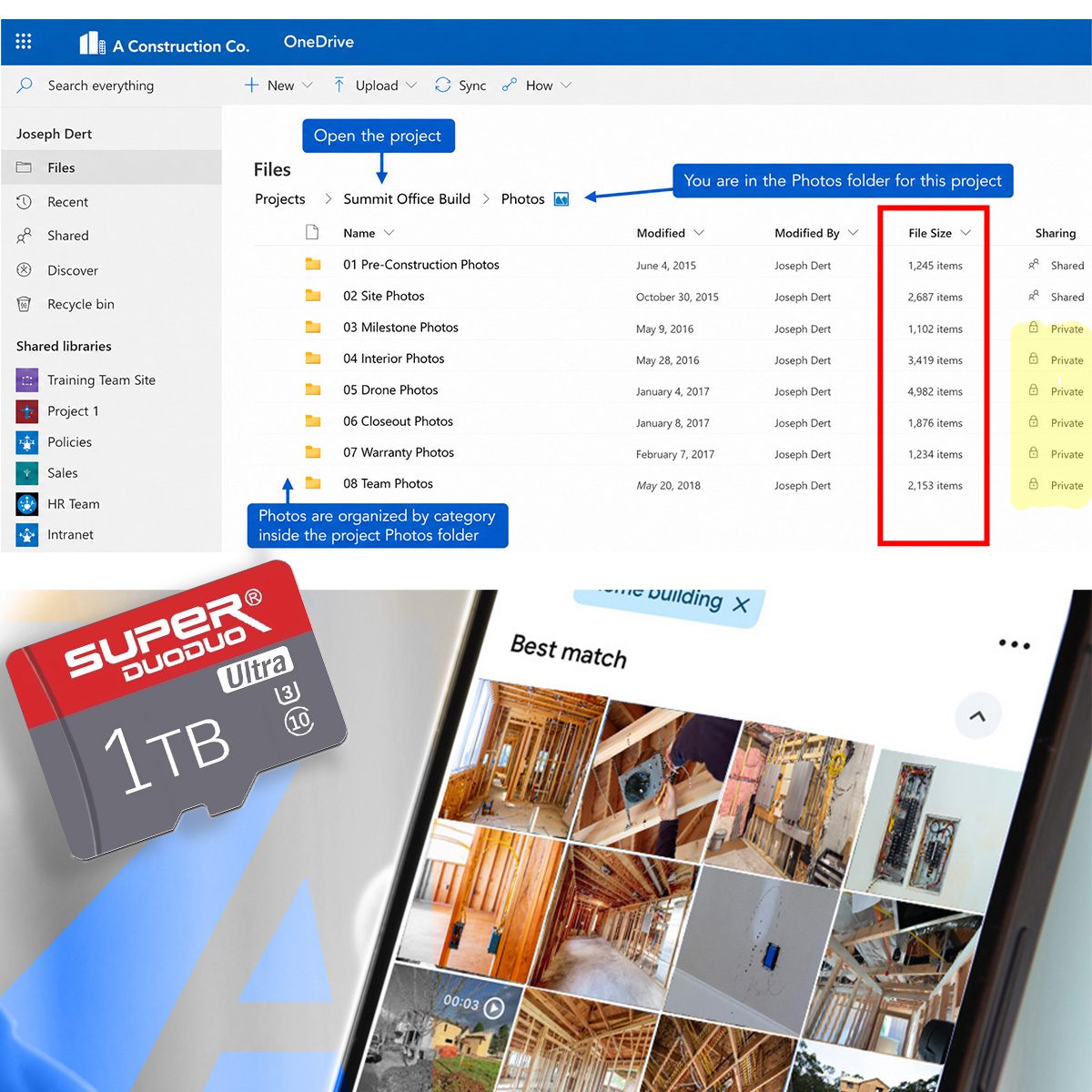
Basic photo storage gives your team a place to put images.
That can help, but storage alone does not solve the real jobsite problem.
A folder full of construction photos does not always answer:
- What project does this photo belong to?
- Where on the site was it taken?
- What milestone does it show?
- Was this before drywall?
- Is this tied to an issue?
- Was this photo part of a field update?
- Who needs to see it?
- When was it captured?
- Why does this photo matter?
ACTABUILD is built around construction photo management, not just photo storage.
That means photos are organized with the project context your team needs later.
If you need a broader look at how ACTABUILD helps teams capture, organize, and share project photos, visit our construction photo app for jobsite documentation page.
Why Jobsite Photos Get Lost
Construction photos usually start with good intentions.
Someone sees progress, captures a detail, documents an issue, or sends an update. In the moment, the photo seems useful.
The problem comes later.
A project manager needs to find a photo from three weeks ago. A homeowner asks what was installed behind the wall. A developer wants milestone confirmation. A warranty issue comes up months after closeout. A lender wants a progress record. A trade questions what was complete before their work began.
By then, the photo either has context or it does not.
If the photo is buried in a text thread, saved on someone’s phone, or named something like IMG_4827, it may technically exist but still be hard to use.
ACTABUILD helps manage photos while the project is happening so your team is not trying to rebuild the record after the fact.
Manage Photos at the Project Level
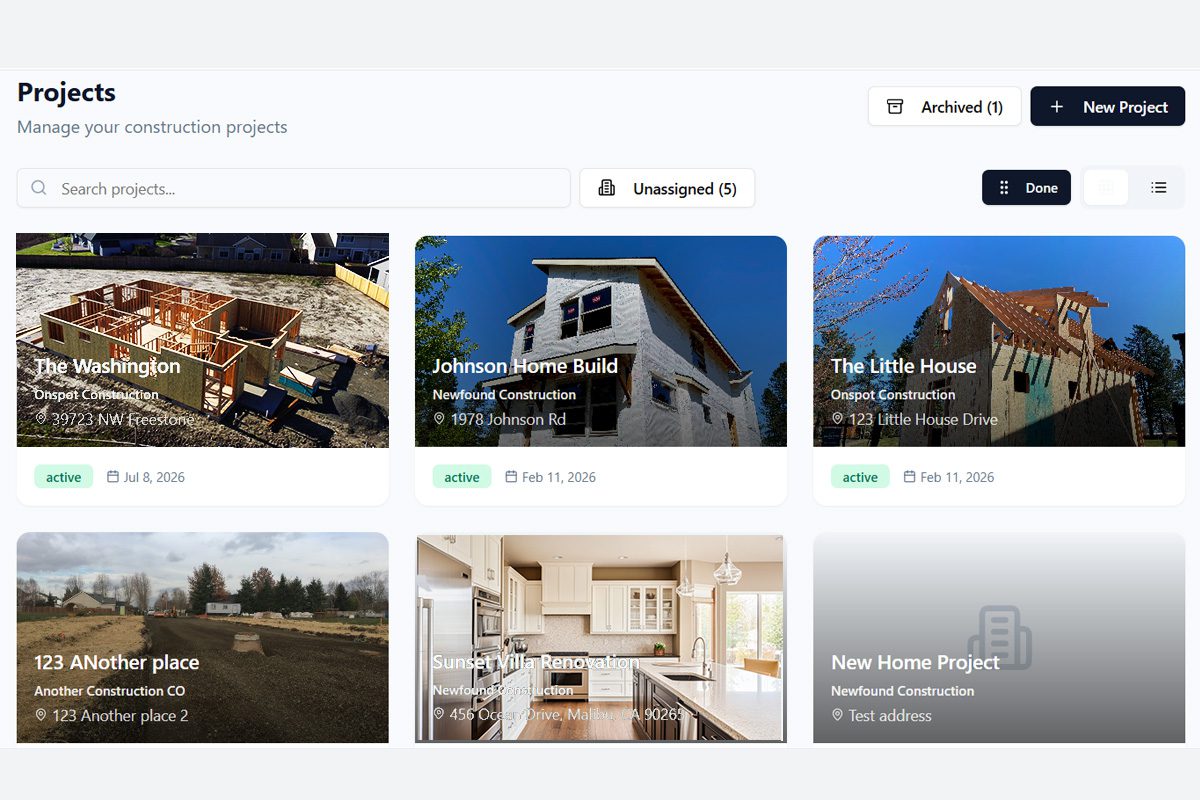
Every construction photo should start with the project.
ACTABUILD helps keep jobsite photos organized around the project record, so your team is not trying to piece together images from separate phones, texts, email threads, and folders.
At the project level, photos can support:
- Progress tracking
- Owner updates
- Internal communication
- Issue documentation
- Milestone records
- Closeout packages
- Warranty reference
- Dispute prevention
- Insurance or claim support
Instead of asking, “Who has that photo?” your team can start with the project and work from there.
Manage Photos Through Site Plans, Floor Plan, Room, or Location
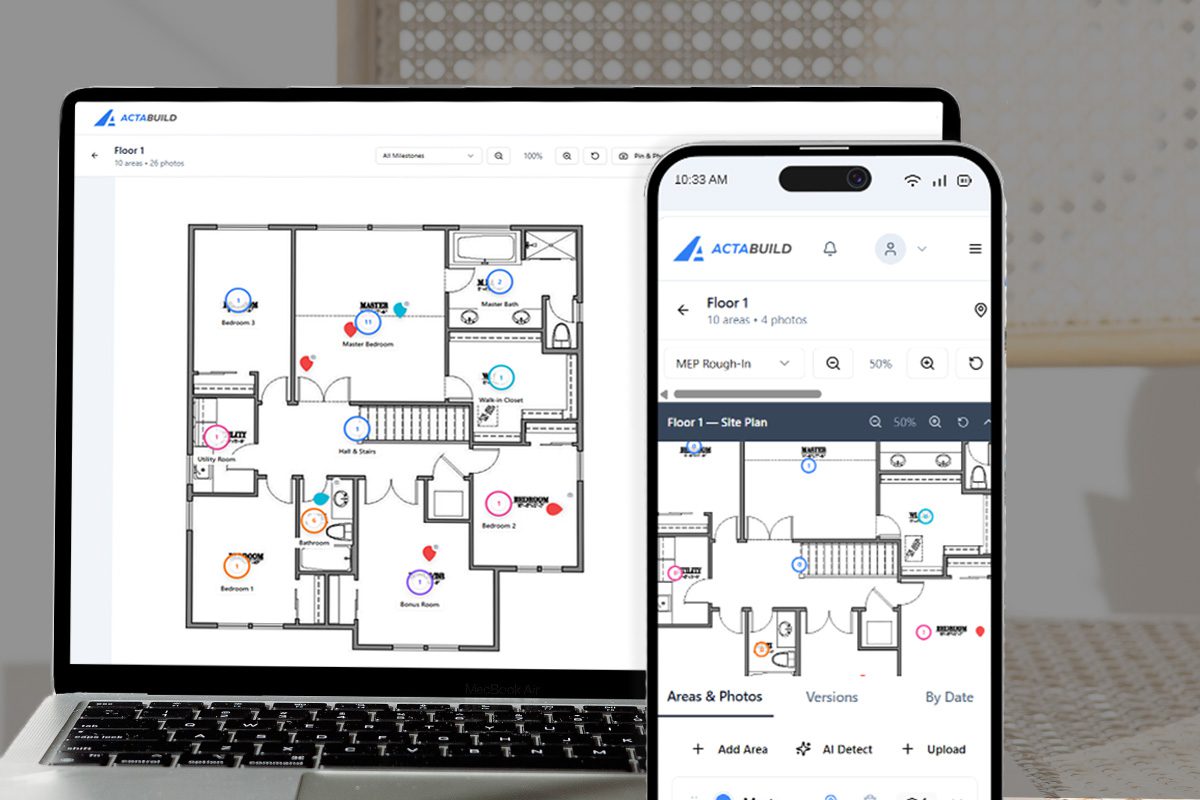
A construction photo are more useful when your team knows where they were taken.
ACTABUILD helps connect jobsite photos to site plans, floor plans, rooms, zones, or project areas so photos are not just dated images in a folder.
A rough plumbing photo is more useful when it is tied to the correct room or unit. A material delivery photo is more useful when it is connected to the project location. An issue photo is easier to act on when the team can see where the problem happened.
Location-based photo management helps answer:
- Where was this photo taken?
- What area does it show?
- What work was happening there?
- Which part of the project does this record support?
- Who needs to review this location?
For jobsite documentation, location is not extra information. It is part of the record.
Manage Photos Through Milestones
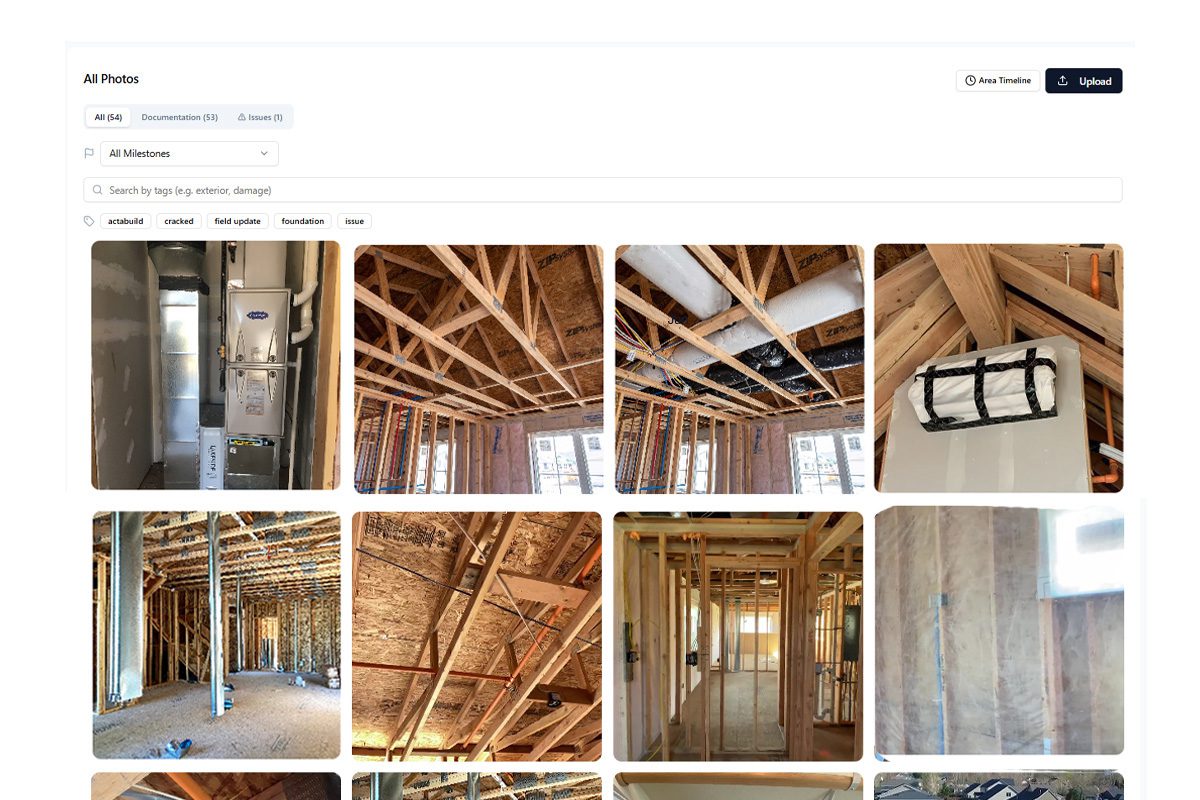
Construction moves through stages.
Your photo management system should reflect that.
ACTABUILD helps organize photos around project milestones such as:
- Existing conditions
- Site preparation
- Foundation
- Underground utilities
- Framing
- Rough plumbing
- Rough electrical
- Rough HVAC
- Fire blocking
- Insulation
- Pre-drywall
- Exterior progress
- Finish work
- Punch list
- Final closeout
Milestone-based photo management makes it easier to track what the project looked like at key moments.
This is especially important for work that later gets covered, concealed, damaged, changed, or questioned.
A milestone photo is more than a progress picture. It is a dated record of what was in place at that stage of the build.
Manage Photos With Time and Date Stamps
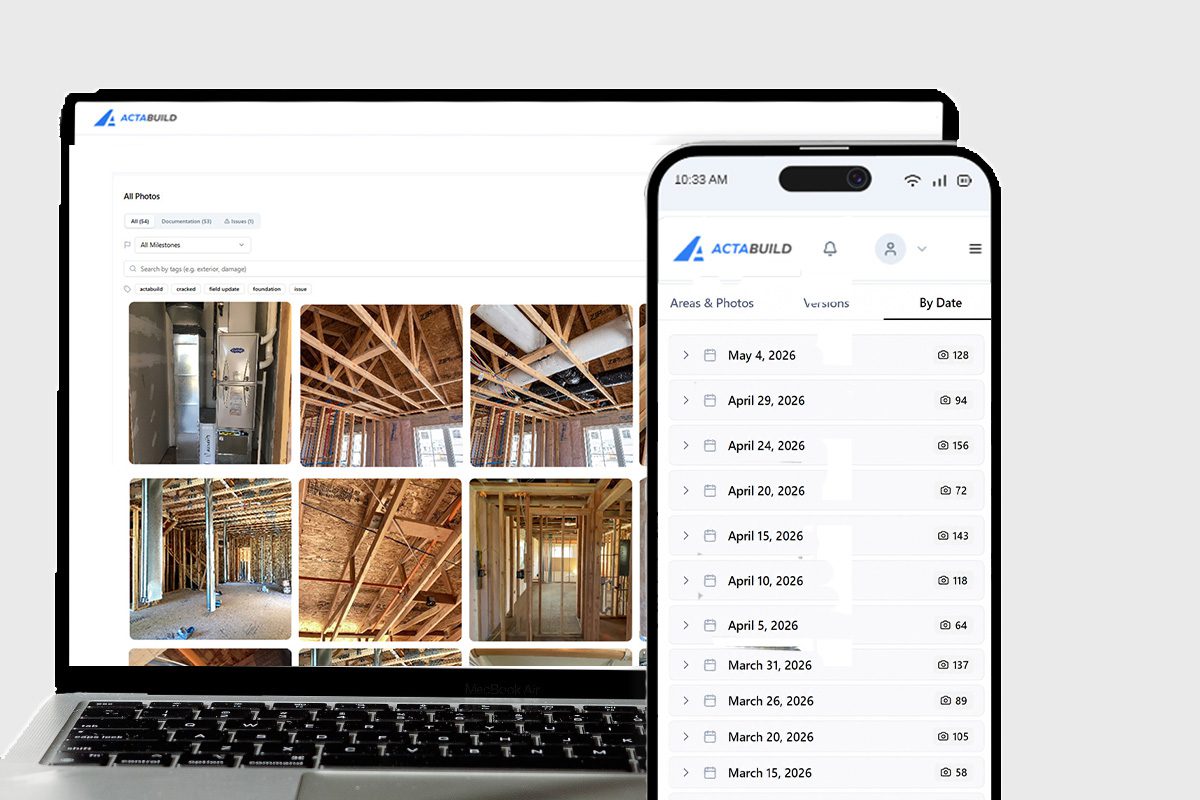
A jobsite photo becomes more valuable when the team knows when it was captured.
Time and date context helps establish the project timeline.
ACTABUILD helps construction teams manage photos with time and date information so the record can support questions like:
- What did the site look like last week?
- Was this work complete before the next trade arrived?
- When was this material delivered?
- What stage was the project in before drywall?
- What changed between milestone updates?
- What did the issue look like before it was corrected?
Dates help turn photos into a timeline.
That timeline can support communication, accountability, warranty questions, closeout, and project history.
Manage Photos Through Issues and Annotations
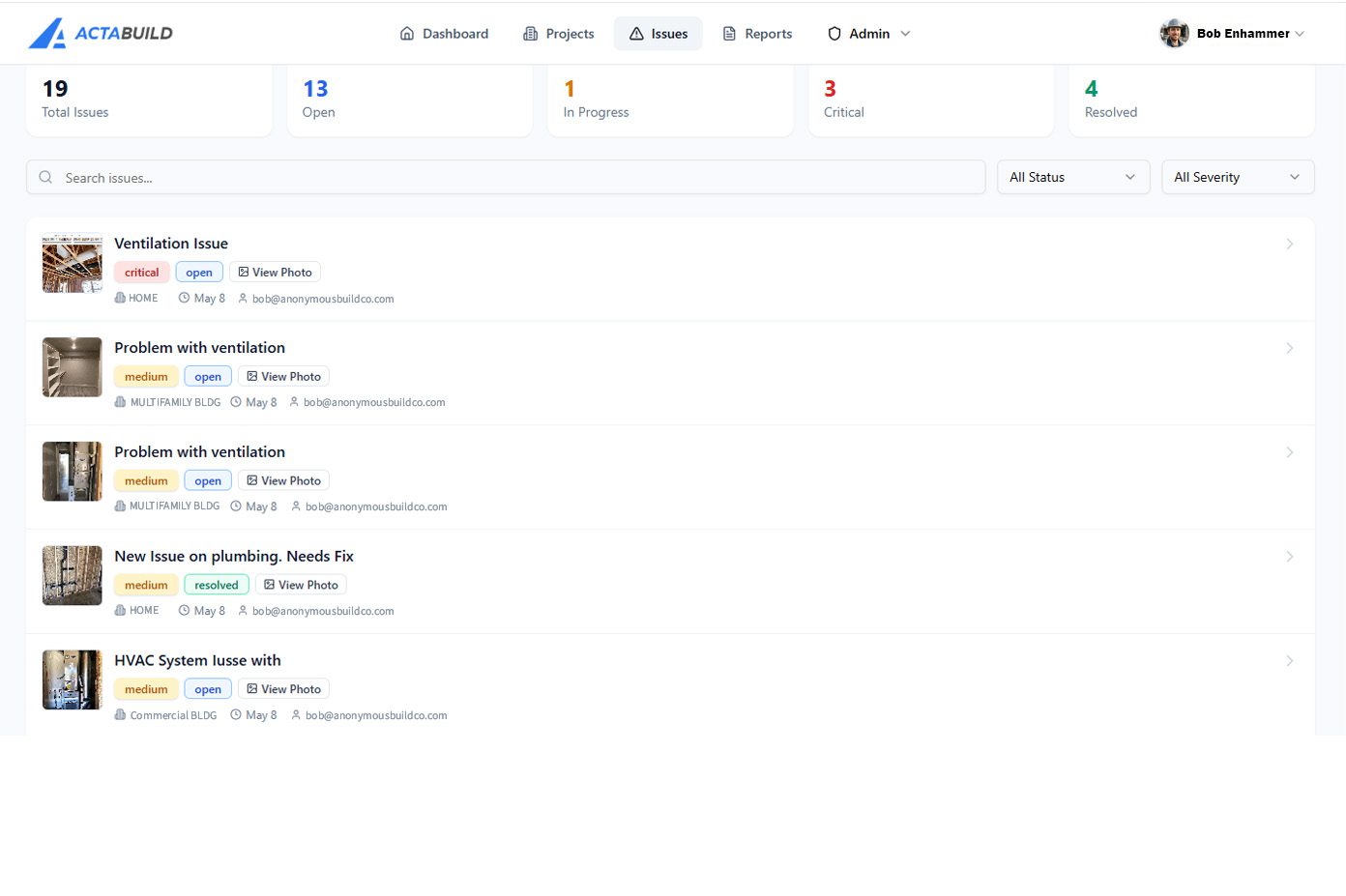
Not every jobsite photo is just a progress update.
Some photos show problems. Some show corrections. Some need notes, arrows, circles, or comments so the important detail is clear.
ACTABUILD helps manage photos through issues and annotations so your team can connect the image to the problem, location, and next step.
Use issue and annotation-based photo management for:
- Field problems
- Work needing correction
- Trade coordination
- Punch list items
- Damage documentation
- Quality control
- Follow-up photos
- Before-and-after records
- Owner or stakeholder questions
Instead of sending a photo with a vague message like “look at this,” your team can document what the issue is, where it is, and what needs attention.
That makes photos easier to understand and easier to act on.
Manage Photos Through Field Updates
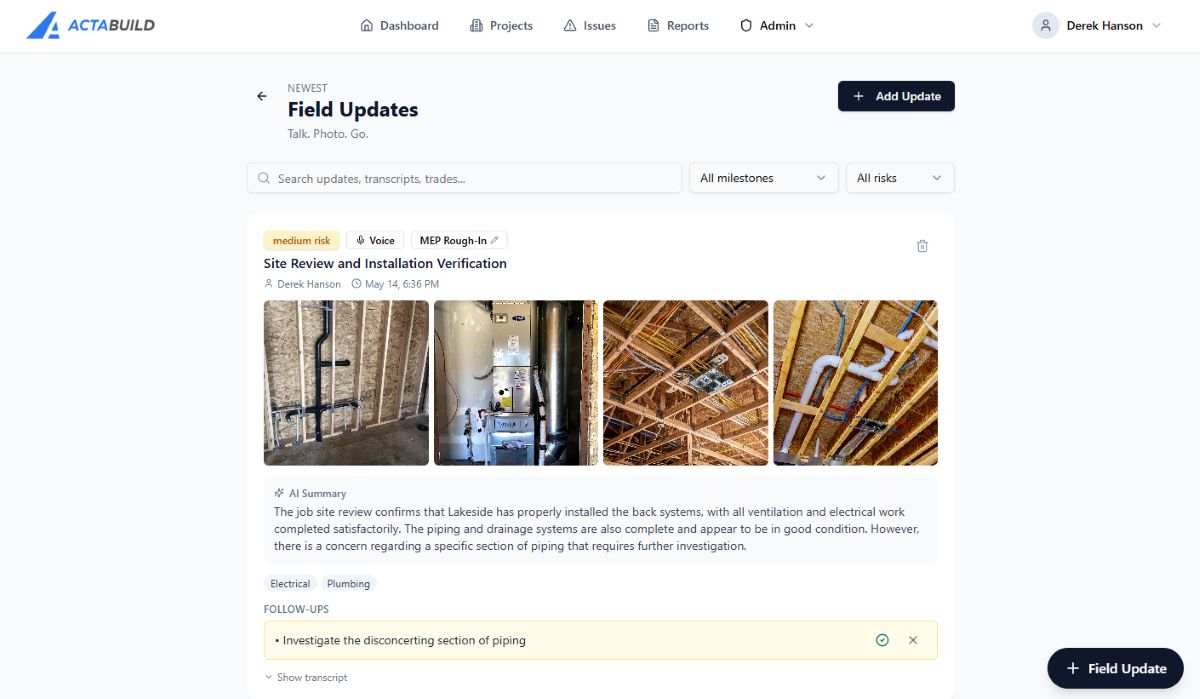
Field updates are where photos become part of the daily project conversation.
ACTABUILD helps connect photos to field updates so the team can document what happened, what changed, what needs attention, and what should be communicated.
A field update may include:
- Progress photos
- Notes from the field
- Issues observed
- Work completed
- Materials delivered
- Areas needing follow-up
- Stakeholder update points
This helps reduce the back-and-forth that happens when photos are sent without context.
Instead of a photo sitting alone in a text thread, it becomes part of a structured update tied to the project.
Manage Photos for Key Stakeholder Updates
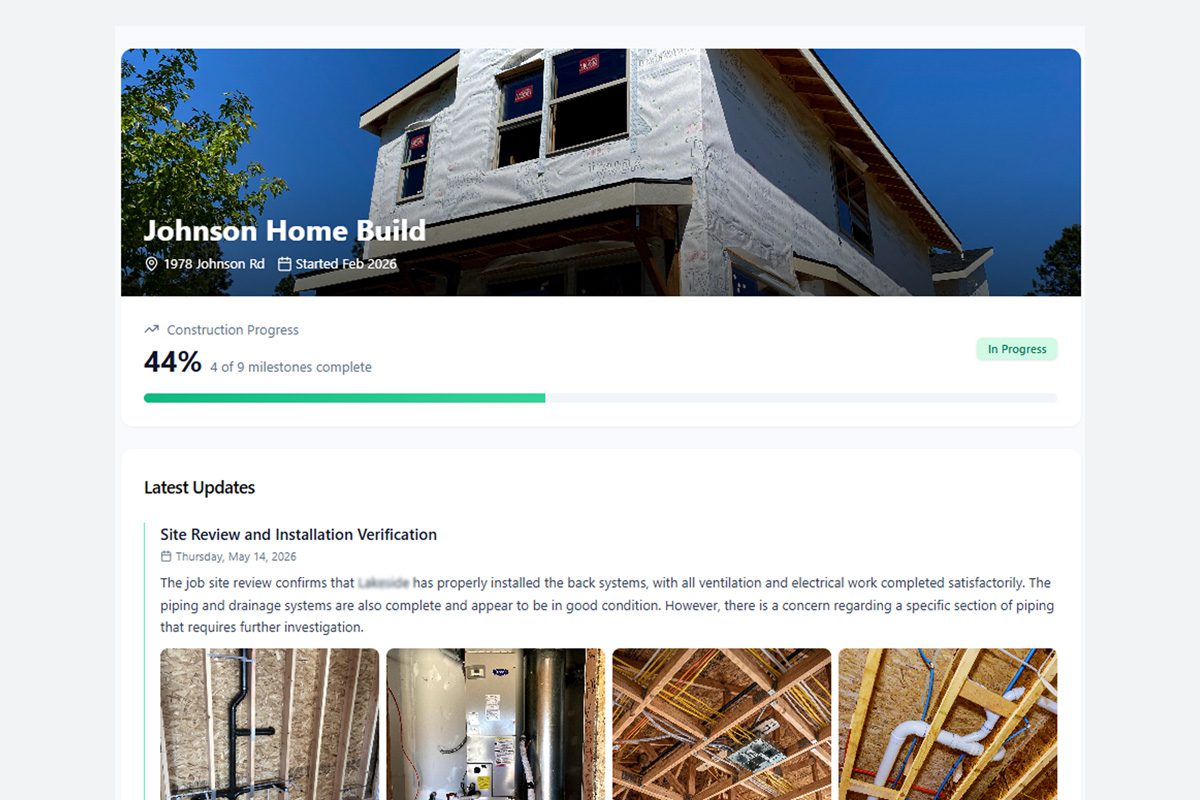
Different stakeholders need different kinds of photo updates.
- A project manager may need issue documentation.
- A superintendent may need location-specific records.
- An owner may want progress visibility.
- A developer may want milestone confirmation.
- A homeowner may want to see what happened before the walls closed.
- A bank or lender may need progress documentation.
- A warranty team may need historical reference.
ACTABUILD helps organize jobsite photos so they can support stakeholder communication without forcing your team to dig through scattered files.
Photo management can help support updates for:
- Owners
- Developers
- Homeowners
- General contractors
- Project managers
- Superintendents
- Trade partners
- Lenders and banks
- Insurance contacts
- Warranty teams
- Closeout teams
The goal is simple: make it easier to show the right photo to the right person at the right time.
Manage Photos for Reports, Closeout Records, and Project Records
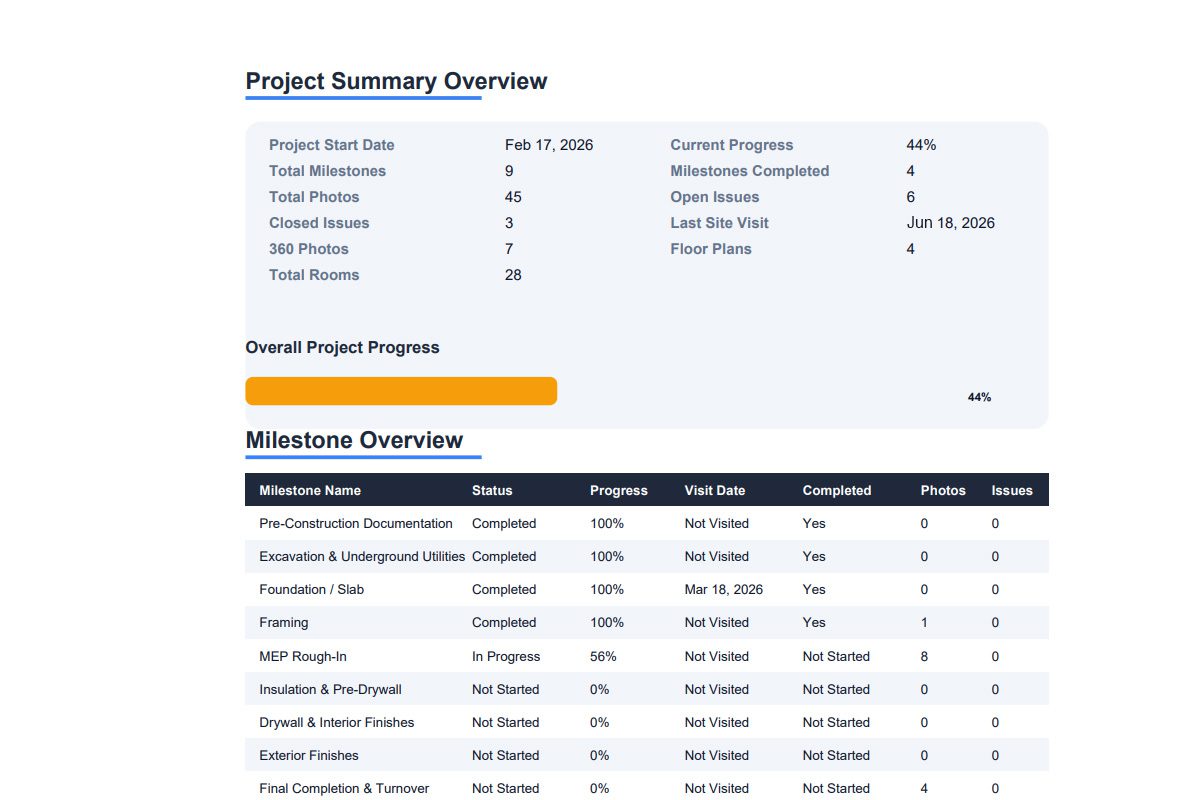
A major part of photo management is being able to use the photos later.
ACTABUILD helps construction teams turn organized photos into project records that can support reporting, closeout, and long-term reference.
Photos can be used for:
- Milestone reports
- Progress summaries
- Issue reports
- Pre-drywall records
- Owner updates
- Closeout documentation
- Warranty reference
- Project archives
This is where construction photo management becomes more valuable than storage.
Storage helps you keep images.
Construction Photo App vs. Basic Photo Storage
| Basic Photo Storage | ACTABUILD Construction Photo Management |
|---|---|
| Stores images in folders | Organizes photos around the project |
| Relies on manual naming | Uses project, date, milestone, and location context |
| Photos can lose meaning over time | Photos stay connected to where and why they were captured |
| Not built around jobsite workflows | Built for construction documentation |
| Hard to connect photos to issues | Supports issues, annotations, and follow-up records |
| Separate from field updates | Connects photos to project updates |
| Difficult to prepare stakeholder updates | Helps support owner, developer, homeowner, and lender communication |
| Harder to use for closeout | Supports reports, records, and archives |
Who Needs Better Construction Photo Management?

General Contractors
Manage photos across projects, milestones, issues, and stakeholder updates.
Home Builders
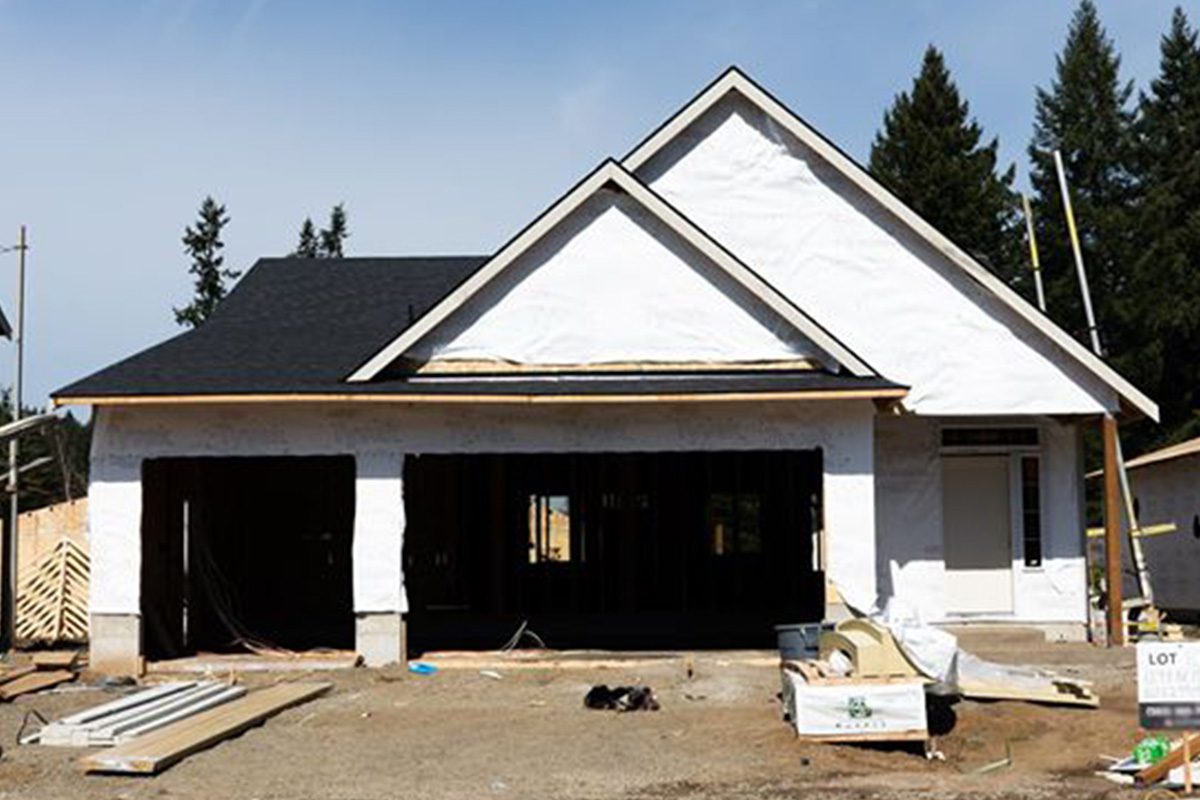
Organize milestone photos, pre-drywall records, homeowner updates, and closeout documentation.

Owners and Developers
Improve visibility into progress without relying on scattered updates or disconnected photo folders.

Project Managers
Find the right photo faster when answering questions, preparing reports, or reviewing work.

Remodelers
Track before, during, and after photos while keeping field notes and issue records organized.
Superintendents
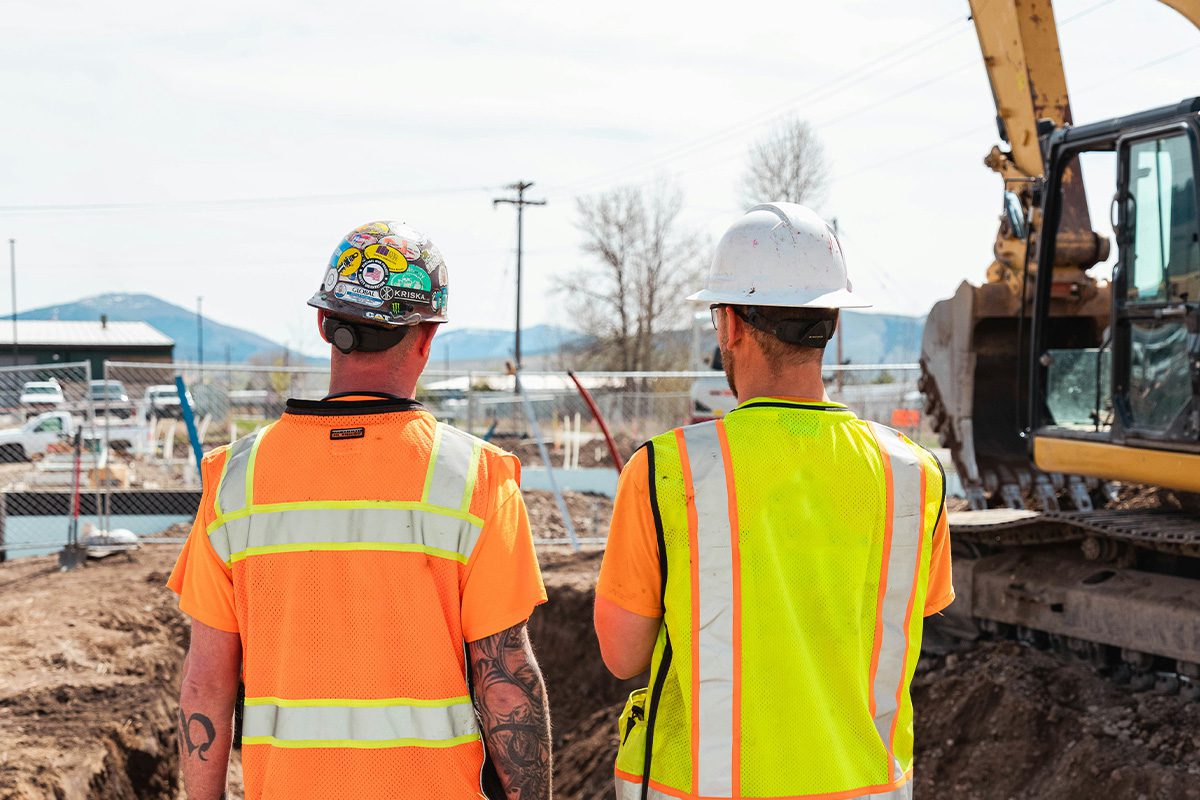
Capture field photos in a way that supports the full project team.

Banks and Lenders
Support progress documentation with organized visual records tied to milestones and project status.

Construction Trades
Capture field photos that fits the needs of skilled trades.
Manage Photos Before They Become a Problem
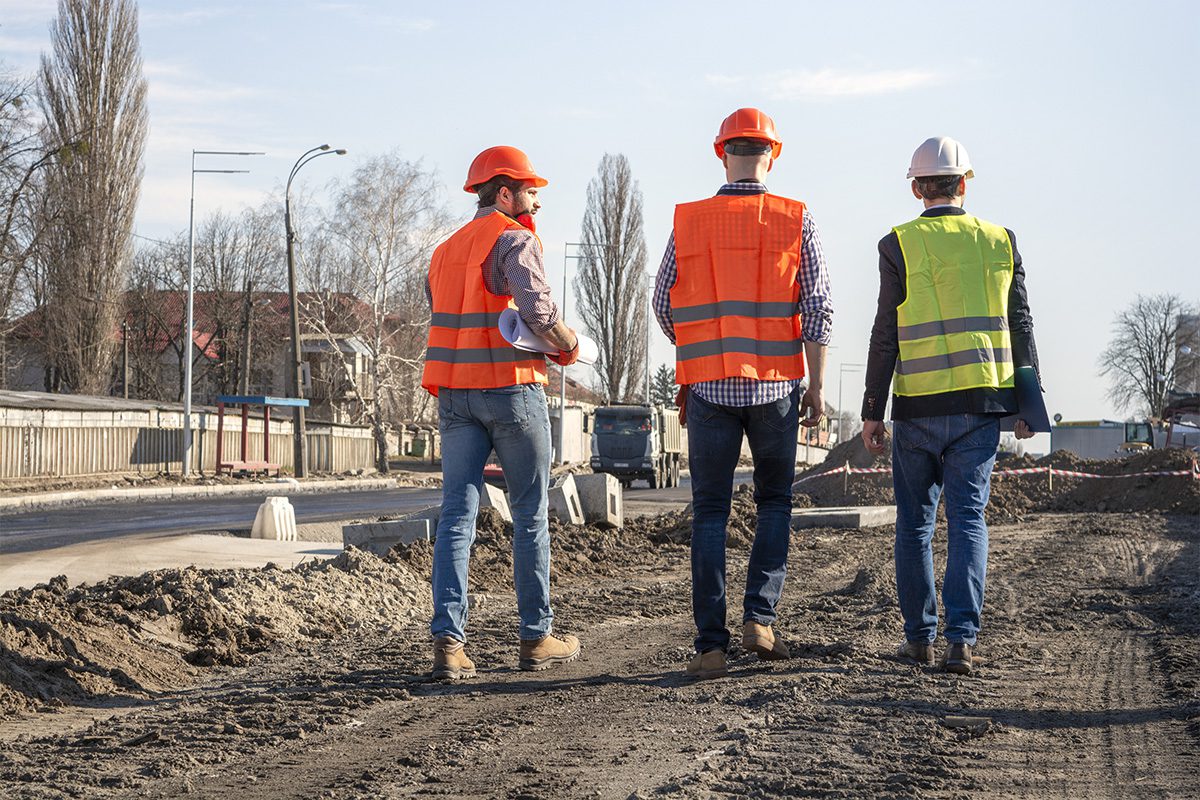
The need for a construction photo usually shows up after the moment has passed.
An owner asks what happened.
A trade says the work was not complete.
A detail gets covered.
A warranty issue appears.
A lender wants a progress update.
A closeout package needs documentation.
A claim or dispute raises questions.
By then, the photo either exists in a usable project record or it does not.
ACTABUILD helps construction teams manage photos while the project is happening so the information is easier to find when it matters later.
A Better Way to Manage Jobsite Photos
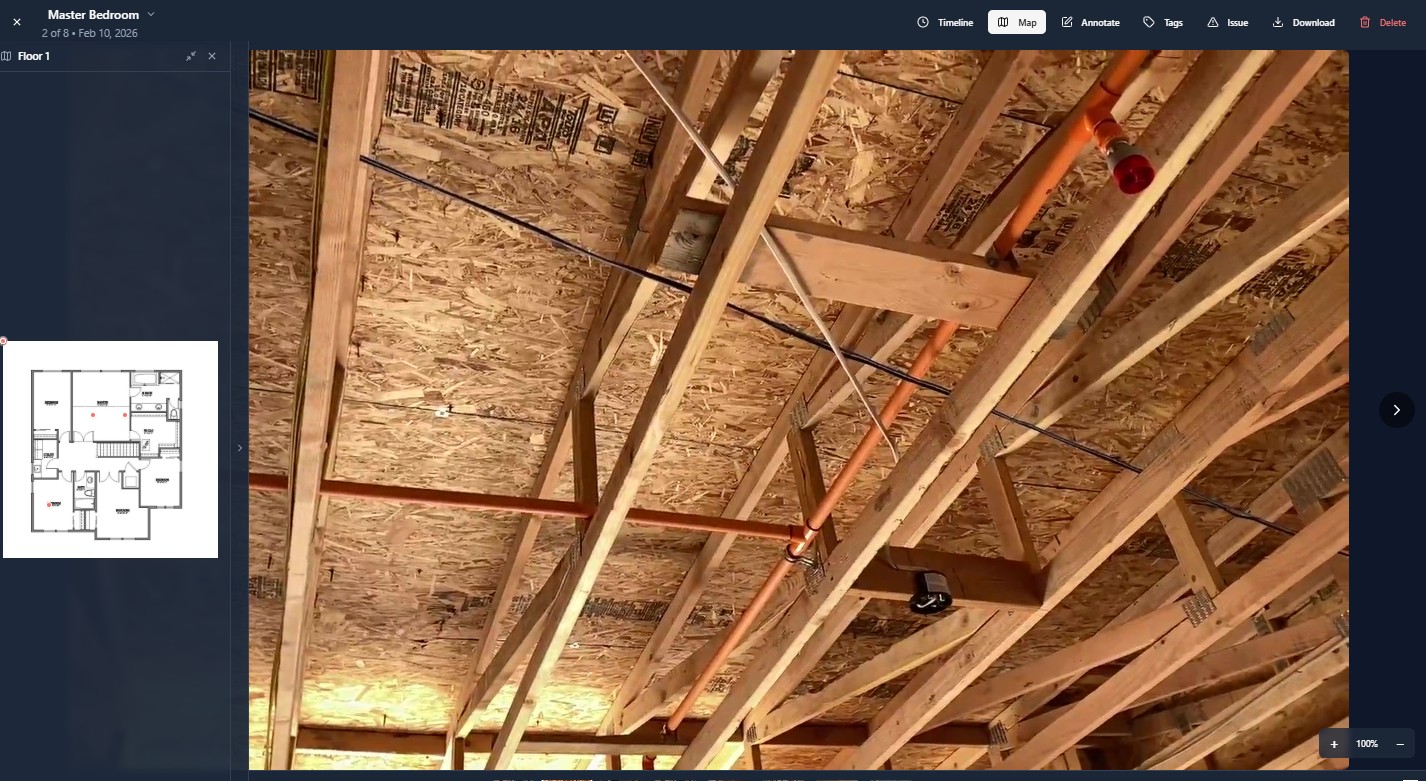
Construction photos should do more than sit in storage.
They should help your team communicate, verify, document, update, report, and look back when questions come up.
ACTABUILD helps construction teams manage jobsite photos by:
- Project
- Site plan
- Location
- Milestone
- Date and time
- Issue
- Annotation
- Field update
- Stakeholder need
- Report or closeout record
Your team is already taking photos.
ACTABUILD helps make those photos easier to manage, find, and use.
A Better Home for Construction Photos

ACTABUILD is not meant to replace every construction tool your team uses.
It is designed to give your photos a better home.
Your team may still use project management software, shared drives, email, text messages, or internal reporting tools. ACTABUILD can support those workflows by keeping the photo documentation more organized and easier to reference.
Use ACTABUILD when you need a visual record that is:
- Organized by project
- Connected to location
- Built around milestones
- Useful for updates
- Helpful for review
- Easier to share
- Easier to return to later
Start Managing Jobsite Photos With ACTABUILD
Important project details should not disappear into text threads, forgotten folders, or memory.
ACTABUILD helps construction teams turn scattered jobsite photos into organized project records that are easier to find, share, and use.