
What to Look for in a Construction Photo App
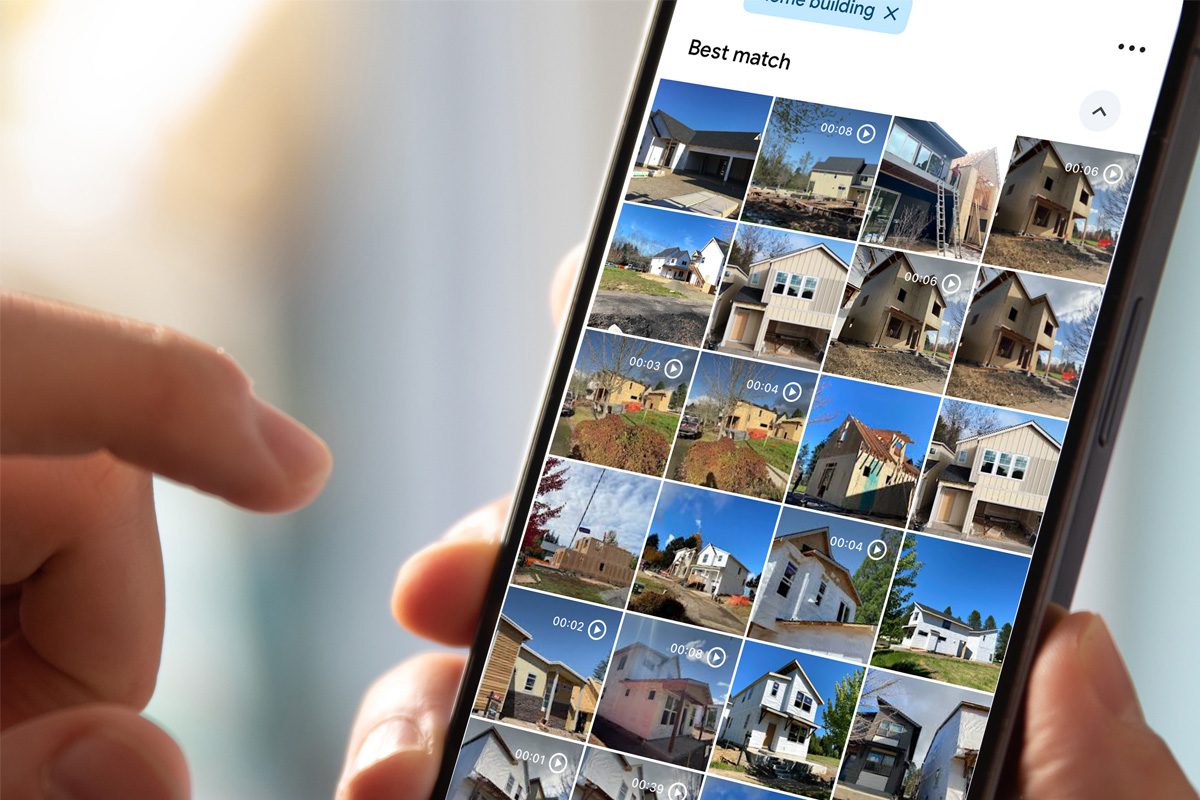
A construction photo app should make project photos easier to use and not simply provide another place to upload them.
Construction teams need to retrieve photos by project, location, milestone and issue. They may need to review work that has since been covered, send an update to an owner, confirm where an issue occurred or assemble documentation for project closeout.
A useful app should make those tasks easier without creating an excessive administrative burden for the field.
If you are comparing construction photo apps, the following capabilities can help you determine whether an app will create a usable project record or merely another photo library.
1. Organize Photos Around the Project
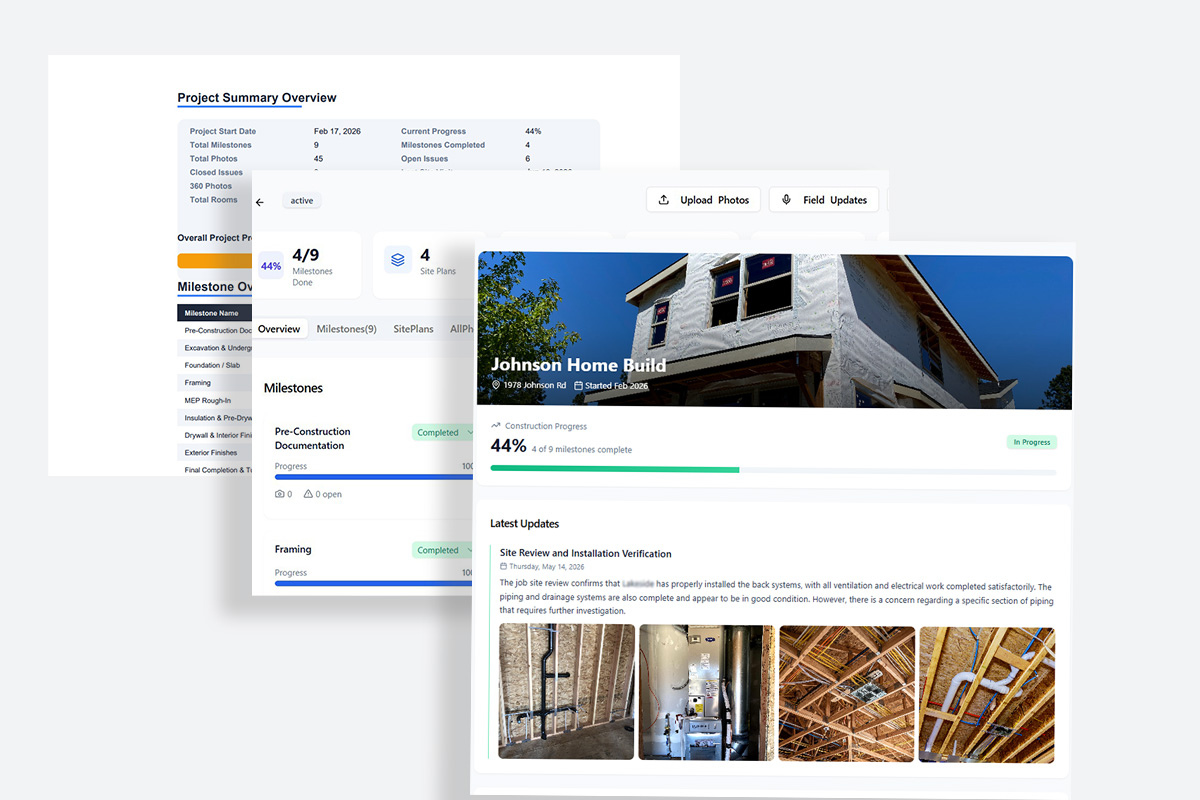
Jobsite photos are often scattered across:
- Personal phones
- Text message threads
- Email attachments
- Shared drives
- Project folders
- Messaging apps
- Project management systems
Even when the images are saved in one place, they may still be difficult to interpret. A filename such as IMG_4827.jpg does not tell someone whether the photo shows plumbing beneath the slab, an insulation issue or completed electrical rough-in.
The longer the project continues, the harder it becomes to remember what each image represents.
This is why photo storage and photo organization are not the same thing.
Storage keeps the image. Organization preserves the information around it.
2. Connect Photos to Site Plans and Locations
Location descriptions are not always consistent across a construction team.
One person might call a space “Bedroom 2,” while another refers to it as the “back bedroom.” On a commercial project, the same area might be identified by floor, room number, unit, zone or work package.
A photo app should reduce that ambiguity by connecting images to an identifiable project location.
Site-plan and floor-plan organization allows users to begin with a visual representation of the project. Photos can then be associated with the rooms, zones or areas where they were captured.
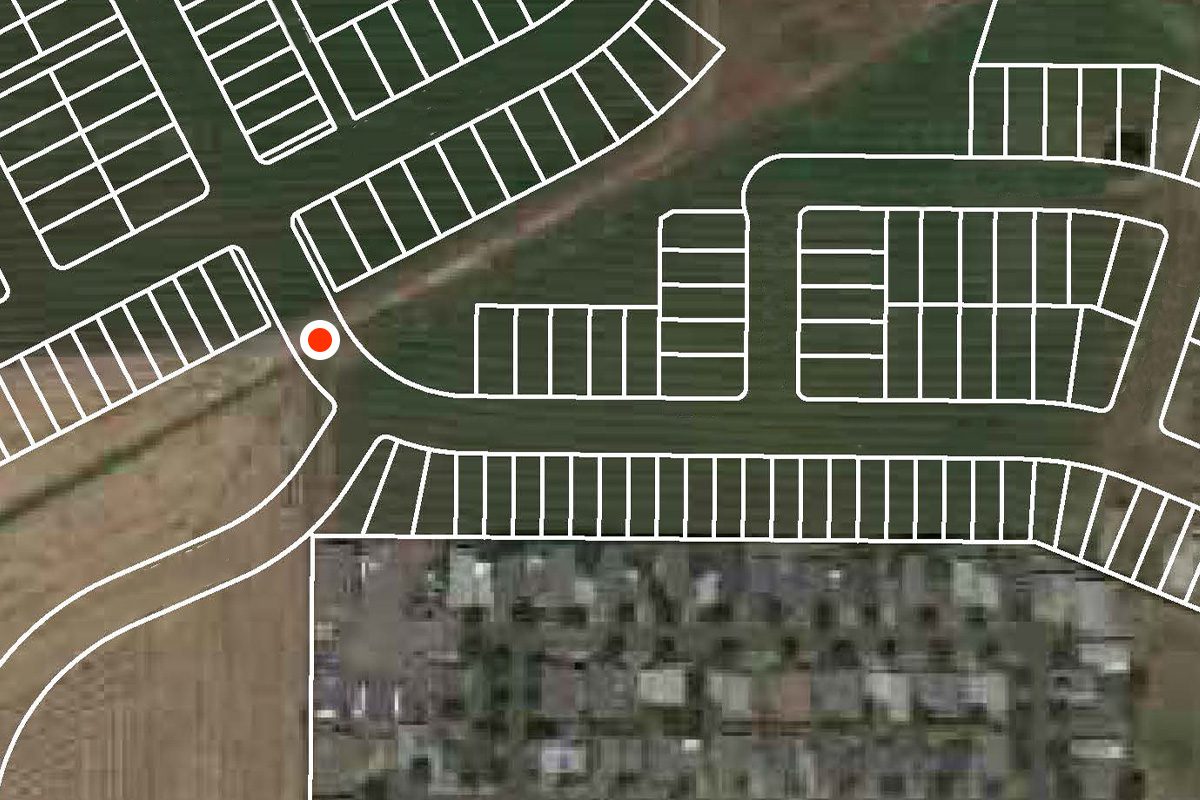
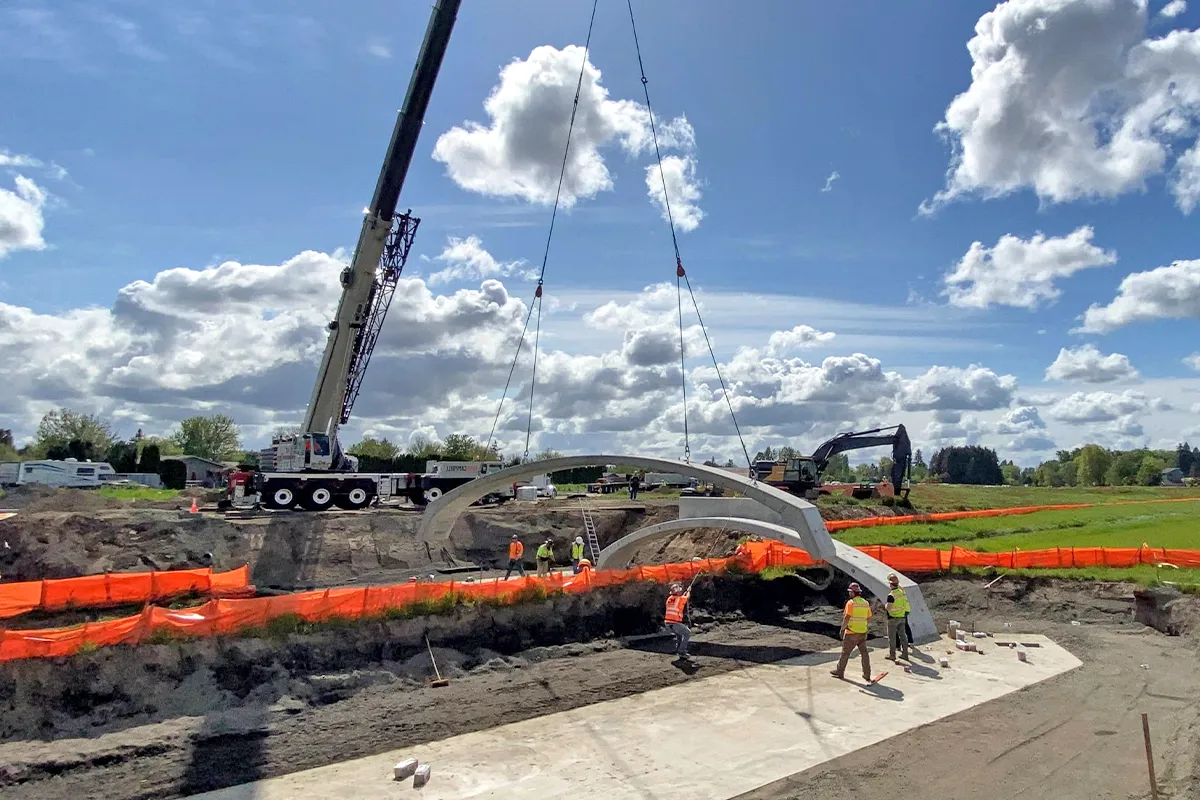
This can be especially helpful for documenting:
- In-wall utilities
- Underground systems
- Structural connections
- Waterproofing details
- Equipment locations
- Apartment or condominium units
- Punch-list items
- Warranty concerns
A photograph becomes more valuable when someone unfamiliar with the original work can determine where the condition exists.
3. Support Milestone-Based Documentation
Construction happens in stages, and photo documentation should reflect that sequence.
A construction photo app should allow teams to organize images around important project milestones rather than relying entirely on dates and folders.
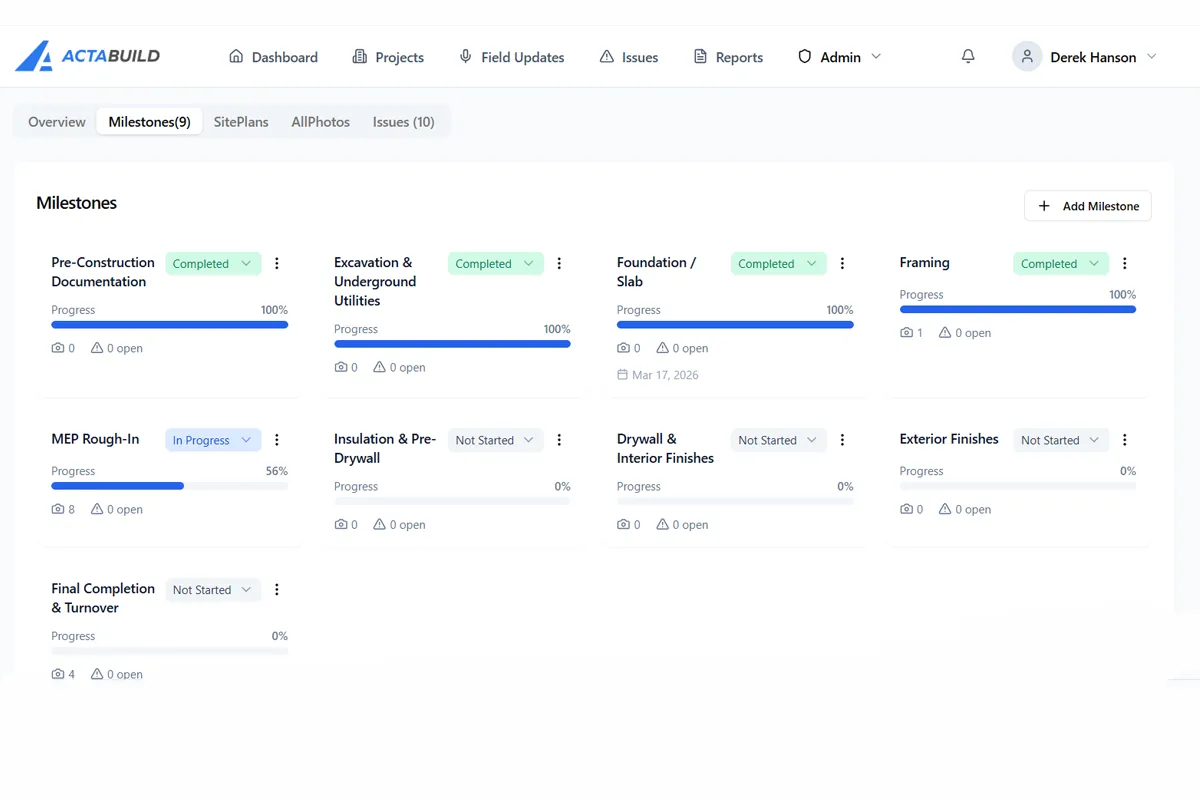
Depending on the project, milestones might include:
- Existing conditions
- Site preparation
- Foundation
- Framing
- Roofing and dry-in
- Rough plumbing
- Rough electrical
- Rough HVAC
- Insulation
- Pre-drywall
- Interior finishes
- Punch list
- Final completion
- Closeout
Milestone organization helps teams see what was documented at each stage and identify where records may be missing.
It is particularly valuable when documenting work that will become concealed. Once trenches are backfilled, concrete is poured, insulation is installed or drywall is hung, missing photos may be impossible to recreate.
For an example of why timing matters, see Why Pre-Drywall Photo Documentation Matters.
4. Preserve More Than a Timestamp
Date and time information should be preserved, but a timestamp cannot provide the entire story.
It can show when a photo was captured. It cannot necessarily explain:
- Where the photo was taken
- What installation it shows
- Which milestone it belongs to
- Why it was important
- Whether the image documented an issue
- What happened after the photo was taken
A useful construction photo app combines date and time information with project, location and milestone context.
That combination makes the record easier to interpret later. Instead of finding an image taken on a particular Tuesday, the user can find a rough-plumbing photo from a specific room during the pre-drywall milestone.
5. Make Field Capture Practical
A feature-rich app will not help if field teams find it too difficult to use.
The capture process should be simple enough to fit into normal jobsite activity. Workers should not have to stop for several minutes to rename every image, navigate complicated folder systems or complete unnecessary forms.
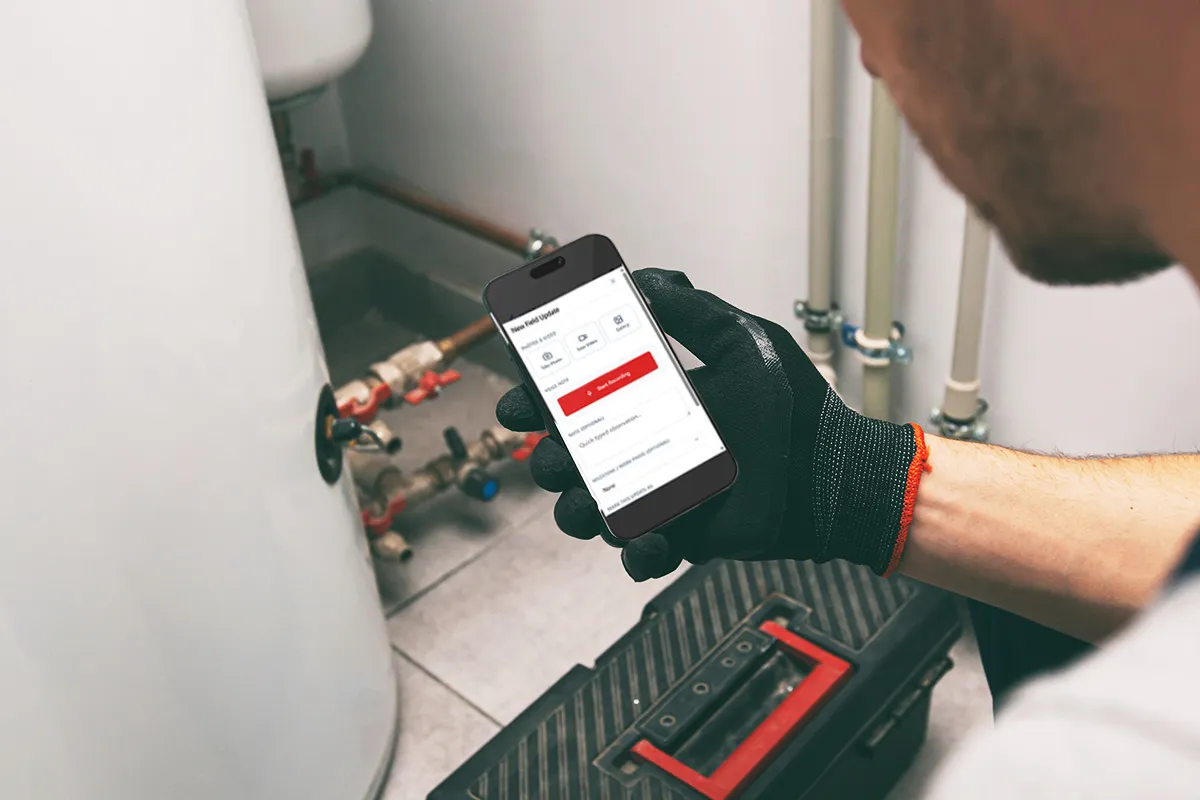
When evaluating an app, consider how easily field users can:
- Select the correct project
- Capture or upload photos
- Identify a location
- Choose a milestone
- Add a short note
- Document an issue
- Confirm that the photo was saved correctly
The goal is not to eliminate all information entry. Context has to come from somewhere. The goal is to collect the most useful information without turning documentation into another time-consuming report.
6. Distinguish Progress Photos From Issues
Not every photo requires follow-up.
Some images document normal construction progress. Others identify a condition that needs to be reviewed, corrected or communicated. A construction photo app should allow teams to preserve both types of records without mixing them together.
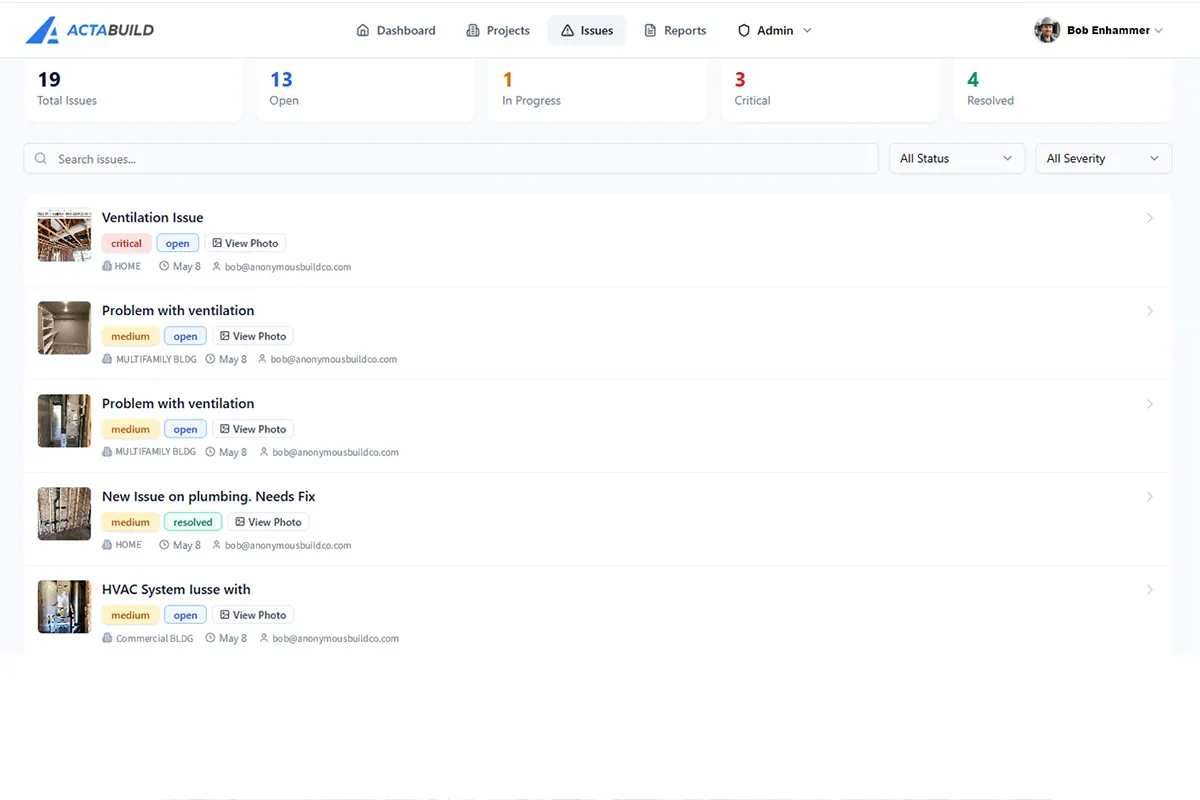
Issue documentation may need additional information such as:
- Location
- Description
- Priority or severity
- Assigned person
- Due date
- Status
- Comments
- Resolution photo
Annotations can also help identify the specific part of an image that needs attention. An arrow, circle or short note may point to a damaged component, missing fastener, penetration, crack or installation concern.
The app should keep the issue connected to the original photograph and project location. This makes it easier to understand what was observed, what action followed and whether the item was resolved.
7. Include Field Notes and Supporting Context
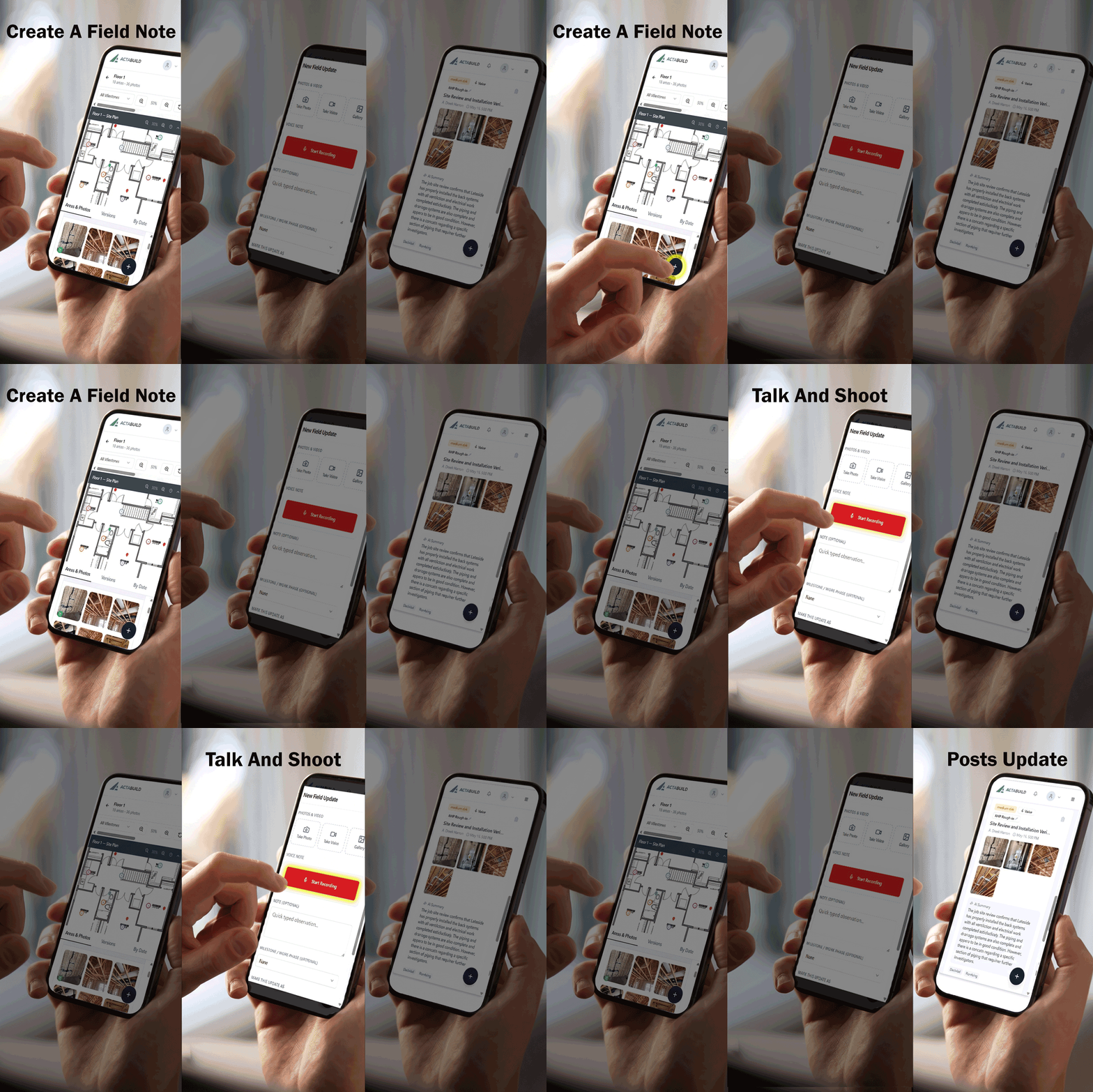
Some jobsite conditions cannot be explained by a photo alone.
A picture may show a newly installed system, but it may not explain why the installation changed. An image may show an open wall, but it may not describe the discussion that occurred between the superintendent and trade contractor.
The ability to add notes, voice updates or supporting information can make the visual record more understandable.
Useful field context might explain:
- What changed since the previous visit
- Why a condition was photographed
- What still needs to be completed
- Which trade was involved
- What decision was made
- Who needs to follow up
- What should be included in an owner update
These details help turn individual photographs into broader jobsite documentation that can be used by both field and office teams.
8. Support Standard and 360 Photos
Standard photos and 360 photos serve different purposes.
A standard photo is useful for documenting a specific detail. It can provide a close view of a pipe connection, fastener, equipment label, damaged surface or installation concern.
A 360 photo captures the surrounding environment. It can help someone understand the layout of a room, the relationship between systems or the overall condition of an area during a particular project stage.
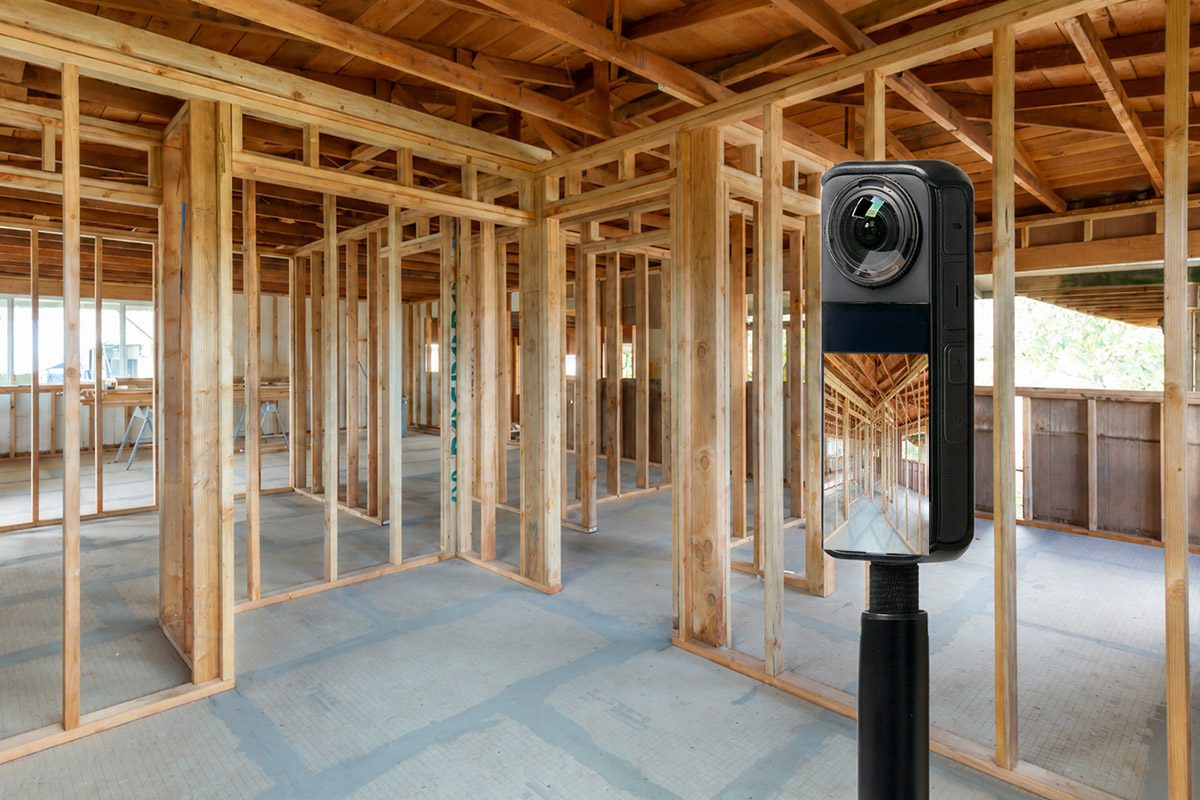
The strongest documentation process may use both:
- Standard photos for focused details
- 360 photos for spatial context
- Plans for identifying location
- Milestones for identifying project stage
- Notes for explaining why the documentation matters
If wider visual context is important to your projects, determine whether the app can properly display, organize and share interactive 360 images. Learn more about how 360 construction documentation can fit into a jobsite record.
9. Make Project Information Easier to Share
Construction documentation serves multiple audiences.
A superintendent may need detailed field photos. A project manager may need an issue summary. An owner may want a progress update. A warranty team may need to find a concealed component after the project is complete.
A construction photo app should provide ways to share the appropriate information without distributing the entire internal project record.
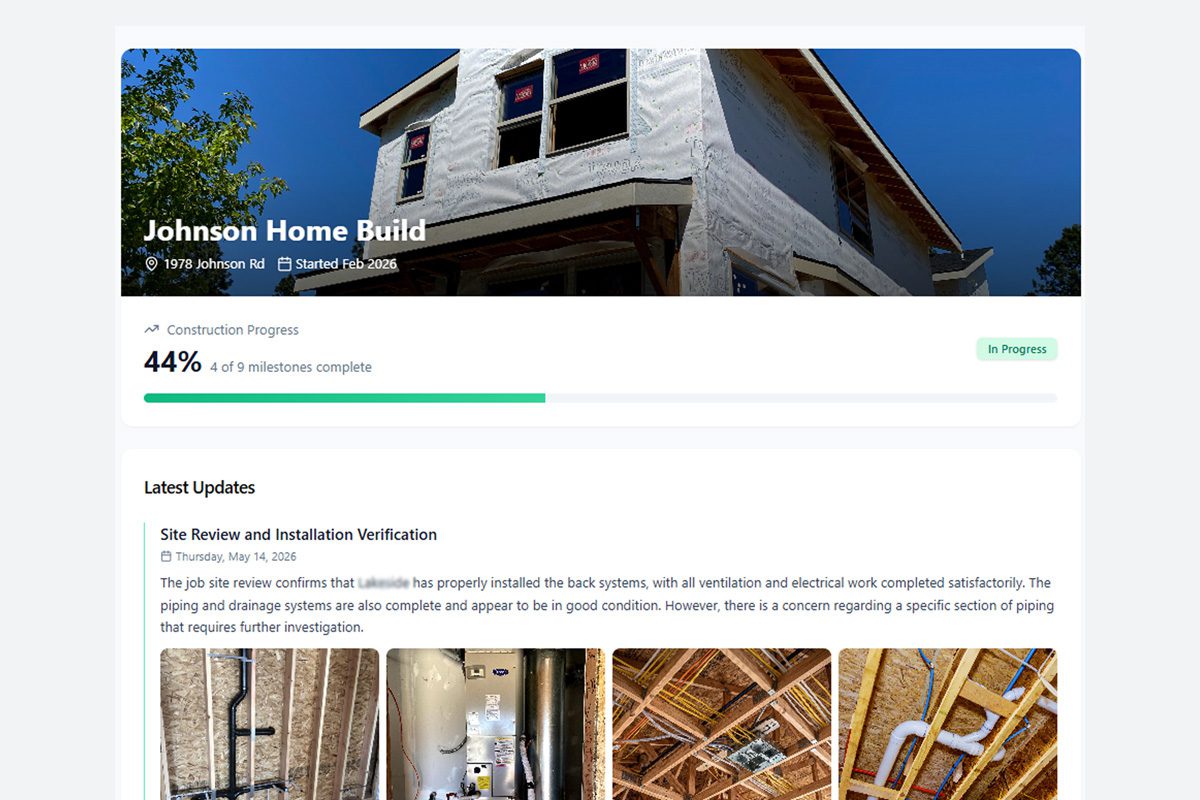
Depending on the audience, useful sharing options may include:
- Selected project photos
- Milestone updates
- Issue records
- Annotated images
- Read-only project views
- PDF reports
- Downloadable photo archives
- Expiring share links
The app should also help maintain a primary version of the documentation. Photos may be sent through email or text, but the organized project record should remain available in one dependable location.
10. Support Reports and Project Closeout
Closeout should not require someone to rebuild the project’s photo history from scratch.
If photos have been connected to the correct locations, milestones and issues throughout construction, much of the closeout record should already exist.
A construction photo app should make it possible to turn organized documentation into useful deliverables, such as:
- Milestone photo reports
- Room or location reports
- Issue summaries
- Pre-drywall records
- Owner documentation
- Warranty reference materials
- PDF reports
- Downloadable project archives
Before choosing an app, consider what happens to the information at the end of the project. Determine whether the documentation can be exported, downloaded and retained in a practical format.
The app should help create a long-term project record—not make the team dependent on a temporary stream of uploads.
11. Fit the Size and Workflow of Your Team
The most powerful construction software is not necessarily the best choice for every contractor.
Some teams need a large project-management system covering schedules, contracts, submittals, RFIs and financial management. Others already have those systems and need a more focused way to capture and organize visual documentation.
Consider the people who will use the app:
- Superintendents
- Project managers
- Field employees
- Trade contractors
- Owners
- Developers
- Warranty personnel
- Office administrators
Then evaluate whether the app fits their normal responsibilities.
A home builder may prioritize milestone records, homeowner updates and pre-drywall documentation. A general contractor may need plan-based organization, issues, field updates and owner reporting. A trade contractor may need a straightforward way to document installations before leaving the jobsite.
Industry-specific pages can provide more detail about construction documentation for home builders and jobsite documentation for general contractors.
Questions to Ask During a Construction Photo App Demo
Before selecting an app, test it against real project situations.
Ask the provider—or attempt to complete these tasks yourself:
- Can I find photos by project, room and milestone?
- Can photos be connected to a floor plan or site-plan location?
- Can the app display both standard and 360 photos?
- Can I distinguish regular progress photos from actionable issues?
- Can field users add notes without slowing down their work?
- Can an issue remain connected to its location and resolution?
- Can I share selected documentation without exposing the entire project?
- Can I create a useful report from the organized photos?
- Can I download the project record at closeout?
- Can someone who did not take the photo understand it six months later?
That final question may be the most important.
The purpose of a construction photo app is not simply to collect images. It is to keep those images understandable and useful as the project changes.
Choose an App That Preserves Project Context
Construction photos have the greatest value when they remain connected to the work they document.
A useful construction photo app should help answer:
- Which project is this?
- Where was the photo taken?
- When was it captured?
- What milestone does it show?
- Is it connected to an issue?
- What should happen next?
- Who needs to see it?
- How can it be used later?
ACTABUILD helps construction teams connect standard photos, 360 images, site plans, project locations, milestones, issues, annotations and field updates inside one organized project record.
Explore the ACTABUILD construction photo app for jobsite documentation and see how your team can build a clearer visual history of its projects.